Paylalo Credit & Collections (CRECO)

CRECO is the collections desk of the Paylalo suite. I built it for the collector who chases overdue customers every day, the credit officer who sets terms and credit limits, and the manager who wants to know how healthy the receivables are.
It doesn’t create invoices and it doesn’t record cash. Every peso on screen is read live from Accounting: sales invoices come from the sales side (DMS/Accounting), and receipts and post-dated checks are recorded in the sibling Cashiering app. What CRECO tracks is the chase itself. That means calls and visits, promises to pay, holds and disputes, the three-step demand-letter ladder with proof of service, and the final hand-off to a lawyer. I ran everything below in the test company ZZ-TEST UX Review Co. on 9 October 2026, signed in as admin.
The screens
- Collections (Home) is the Past-Due Book. It has two views: Accounts to Work, a prioritised worklist of overdue customers, and Aging Overview, a read-only summary with aging buckets and an A/R aging schedule.
- The customer account drawer opens from any worklist row. It has four tabs: How overdue & invoices, Activity, Letter Track and Legal.
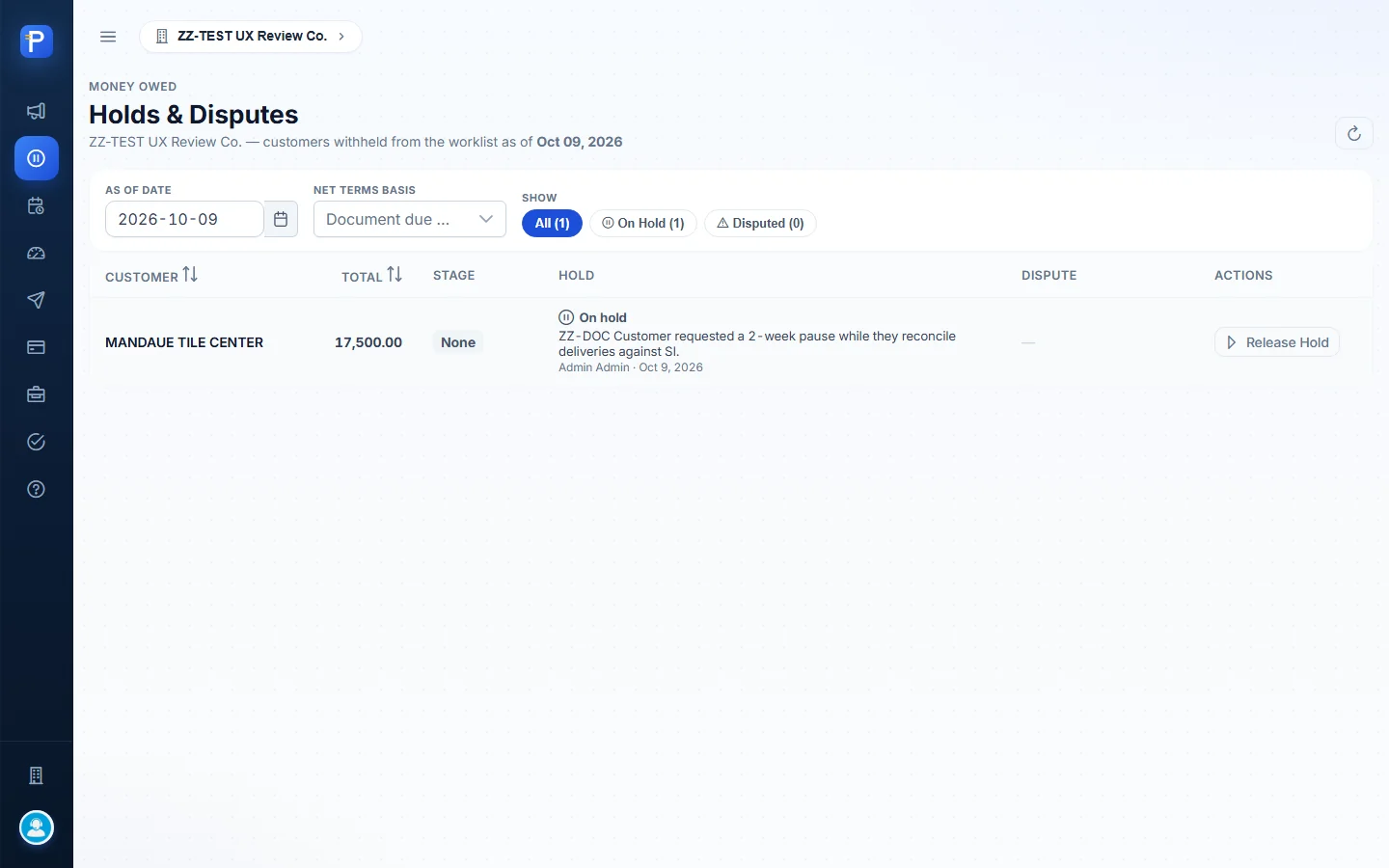
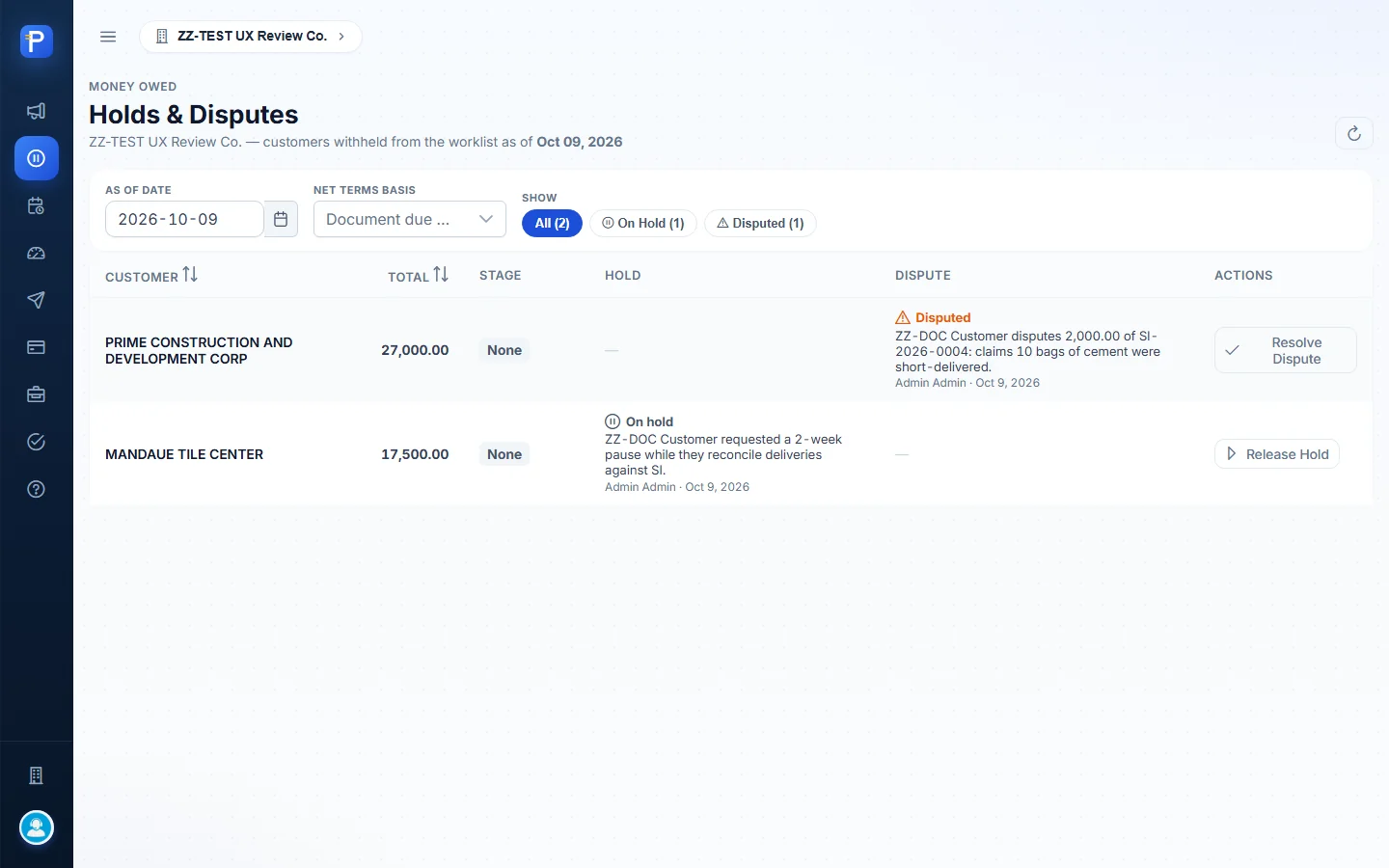
- Holds & Disputes lists customers taken off the worklist, with Release Hold and Resolve Dispute buttons.
- Promises is the promise-to-pay register. Statuses are KEPT, PARTIAL, BROKEN and OPEN.
- Credit Standing sorts each account under the credit policy into Current, Overdue (curing) or Delinquent, and shows PDC cover.
- Agent Follow-up groups past-due invoices by the sales agent named on the Sales Order, and can email the agent.
- Credit Terms holds the selling terms the company offers, plus the term and credit limit given to each customer.
- With Lawyer and Settled / Paid are read-only lists of accounts that have reached the end.
- Help is the built-in guide: the flow, the demand-letter ladder, a glossary and an FAQ.
Collections: the Past-Due Book
Accounts to Work
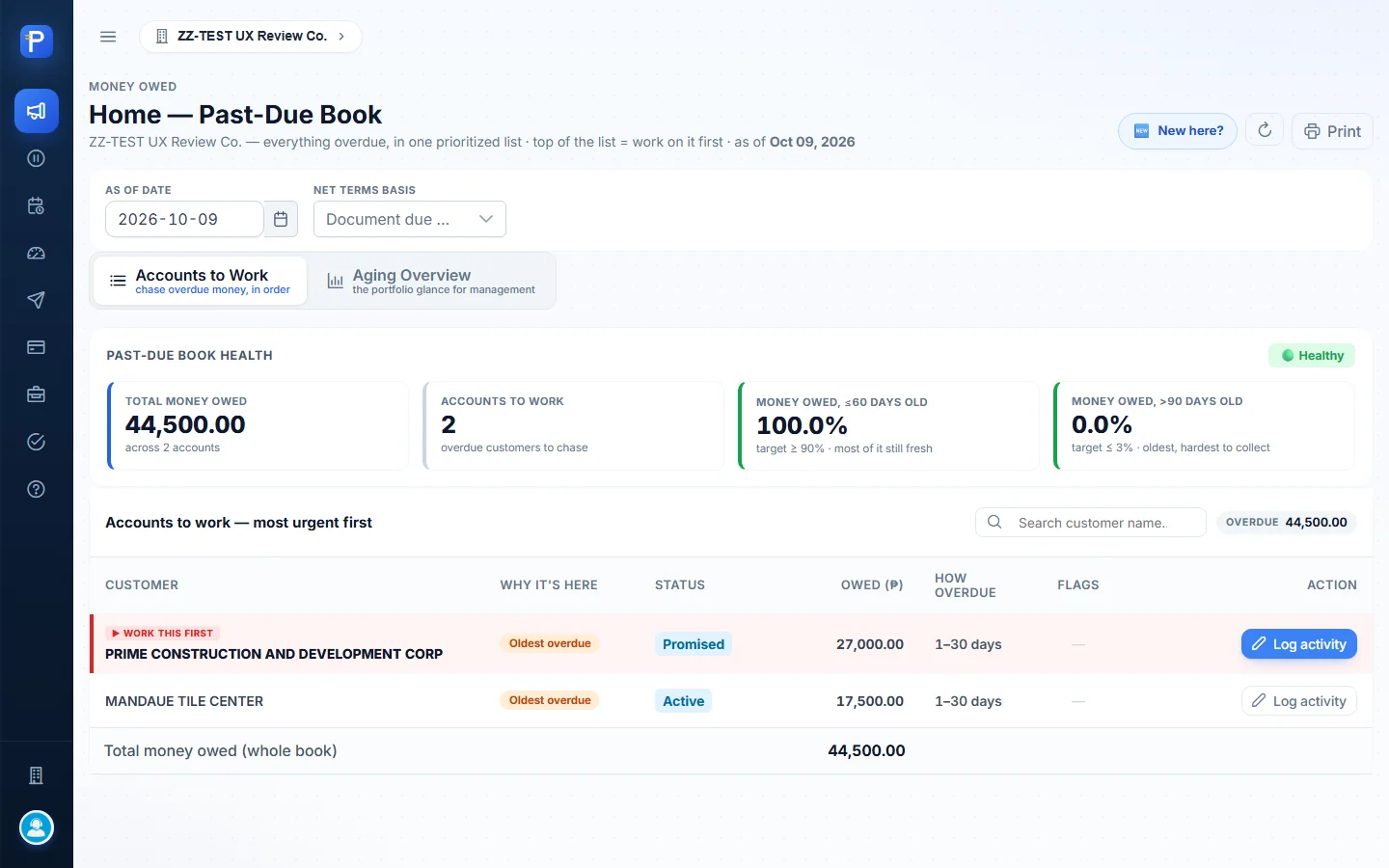
This screen answers one question for the collector: who do I chase next? The first time you open it, a “How CRECO works — in 6 steps” welcome card walks through the loop. Work the top row, log what happened, send demand letters, prove they were sent and received, then hand the account to a lawyer or mark it settled. The “New here?” button brings the card back.

Two controls change what you see. As of date sets the date the aging is calculated against, and defaults to today. Net terms basis is either Document due dates (each invoice’s own due date) or a flat 15-, 30-, 45- or 60-day term.
The header has a health badge (“🟢 Healthy”) and four tiles. Total money owed was ₱44,500.00 across 2 accounts. Accounts to work was 2. Money owed ≤60 days old was 100.0% against a target of ≥ 90%, and money owed >90 days old was 0.0% against a target of ≤ 3%.
The columns:
- Customer. The top row gets a red “▶ WORK THIS FIRST” tag.
- Why it’s here, the reason the account is listed. Both accounts showed “Oldest overdue”.
- Status, the collection stage. It moves as you work the account (Active → Promised → 1st Demand…).
- Owed (₱), the overdue balance.
- How overdue, the aging band (1-30, 31-60, 61-90, 90+ days).
- Flags and Action. Action has a Log activity shortcut.
A footer row totals the book. When I started, the list had PRIME CONSTRUCTION AND DEVELOPMENT CORP (₱27,000.00) and MANDAUE TILE CENTER (₱17,500.00), both 1 to 30 days overdue.

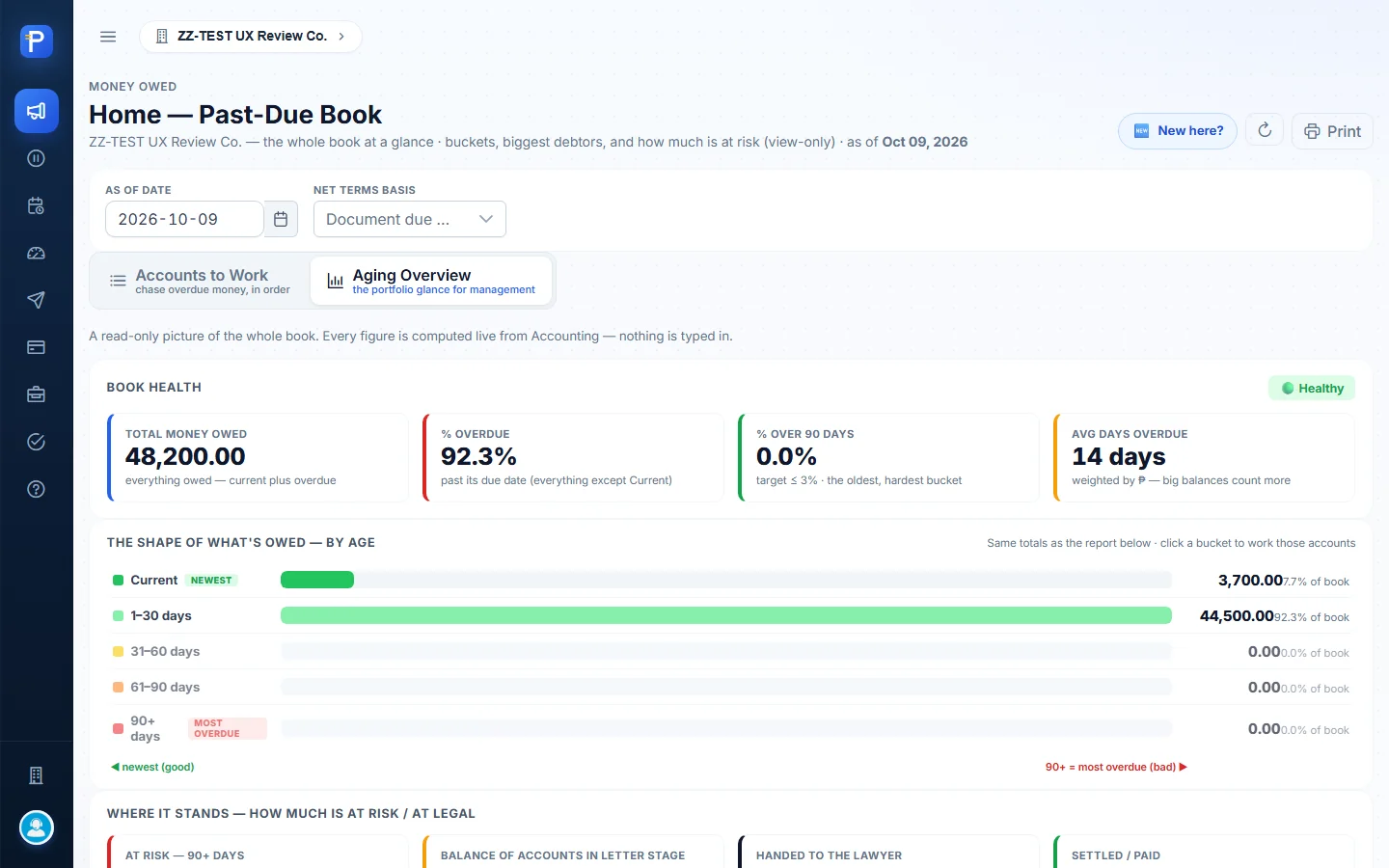
Aging Overview
This is the manager’s view of the whole book, current money included. It’s read-only and calculated live.
The tiles showed total money owed of ₱48,200.00, 92.3% overdue, 0.0% over 90 days, and an average of 14 days overdue (weighted by peso amount).
The bucket band had Current at ₱3,700.00 (7.7%) and 1-30 days at ₱44,500.00 (92.3%). The 31-60, 61-90 and 90+ buckets were all ₱0.00. Click a bucket and you get the accounts in it.
A “Where it stands” block shows At risk 90+, the balance of accounts in the letter stage, accounts handed to the lawyer, and the settled count.
Below that is the A/R aging schedule by customer: one row per customer (Current / 1-30 / 31-60 / 61-90 / 90+ / Total / Status), sortable, with Export CSV. Two customers that aren’t due yet show up here as well: ZZ-DOC CUSTOMER TRADING (₱2,600.00 current) and CEBU HOMEBUILDERS DEPOT (₱1,100.00 current).
The customer account drawer
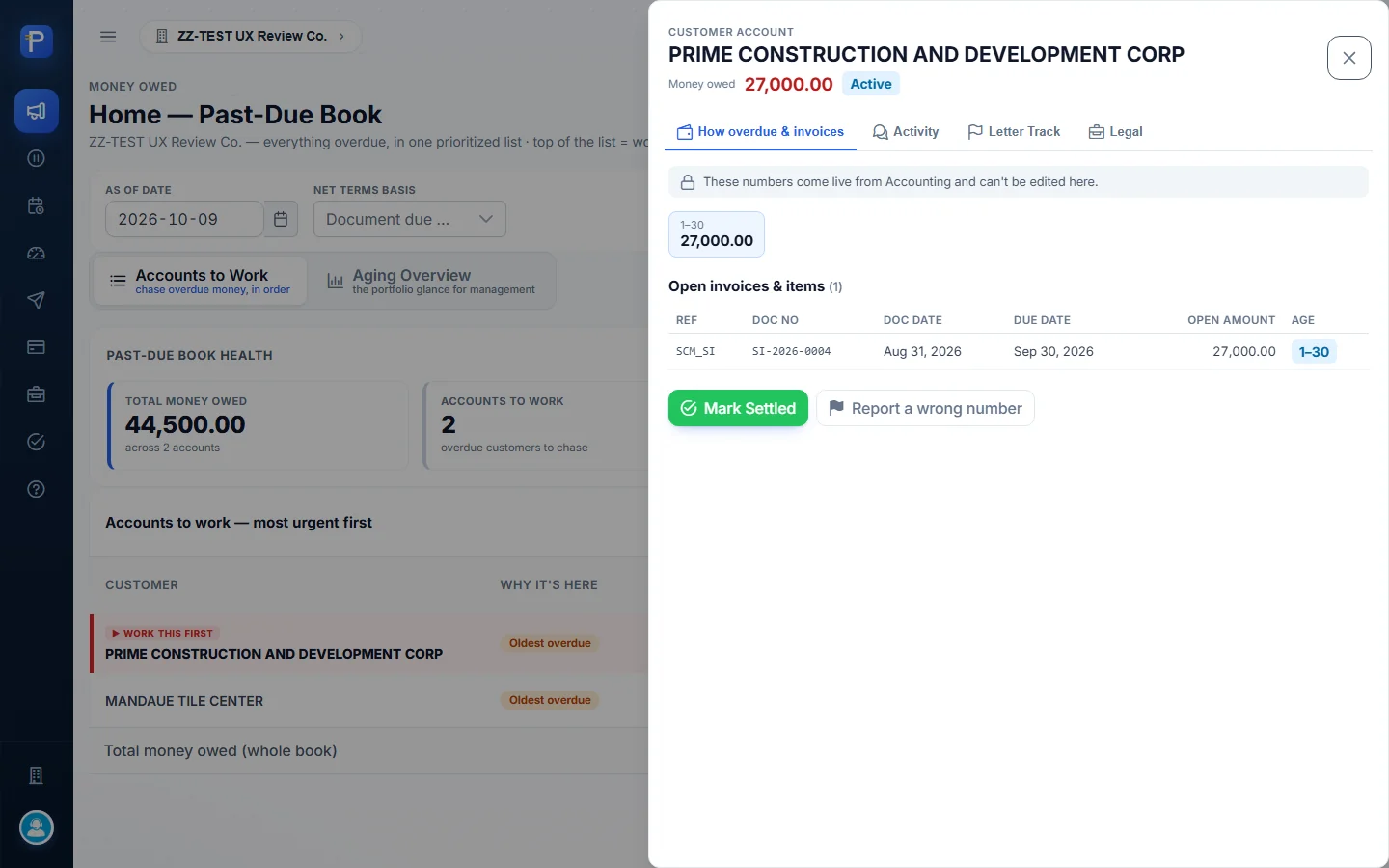
Click a customer and a side drawer opens. The header shows the money owed and a status chip.
The How overdue & invoices tab lists the open items, with a note: “These numbers come live from Accounting and can’t be edited here.” PRIME had one item, SI-2026-0004 (ref SCM_SI), dated Aug 31, 2026, due Sep 30, 2026, ₱27,000.00 open, aged 1-30. This tab also has Mark Settled and Report a wrong number.
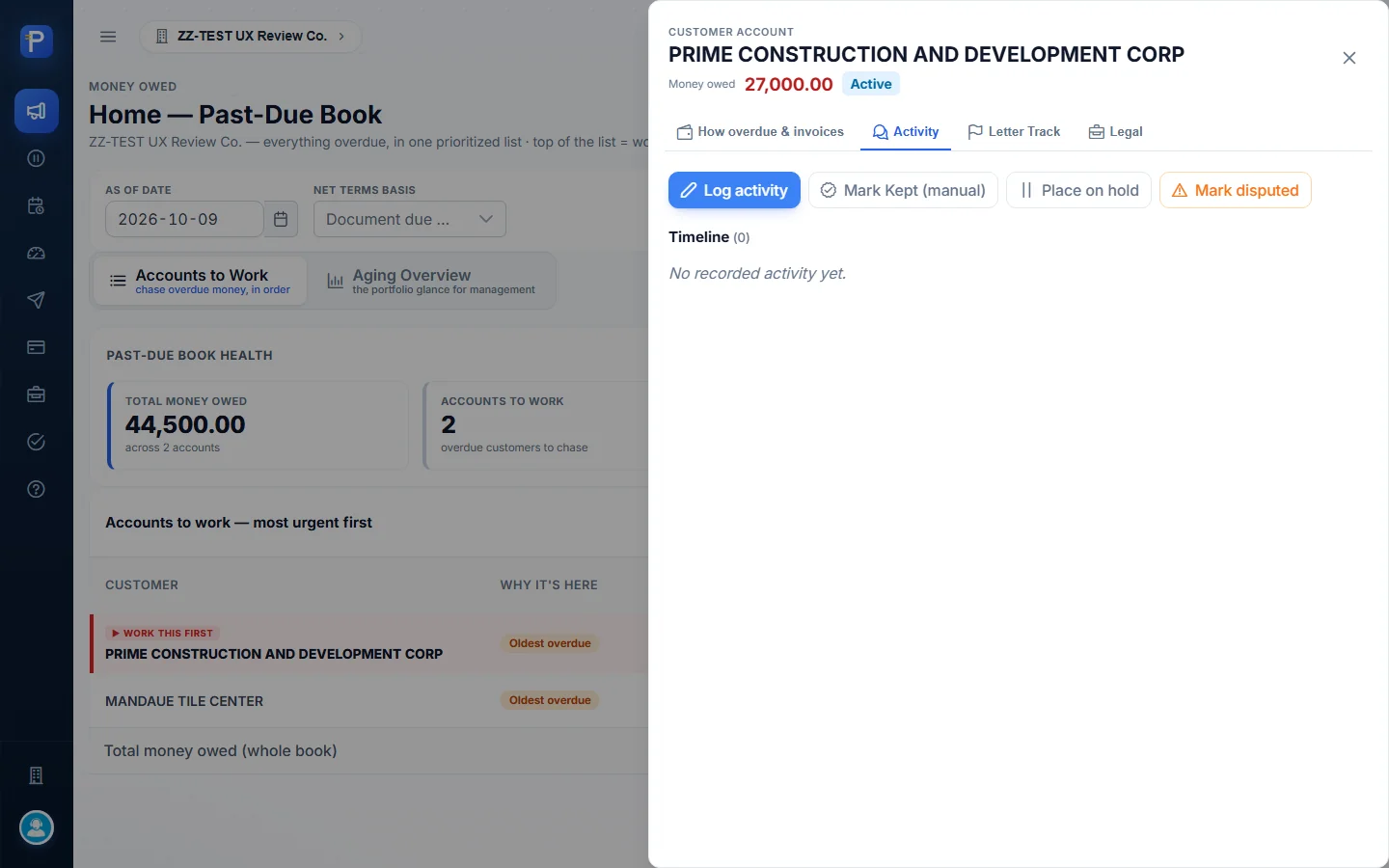
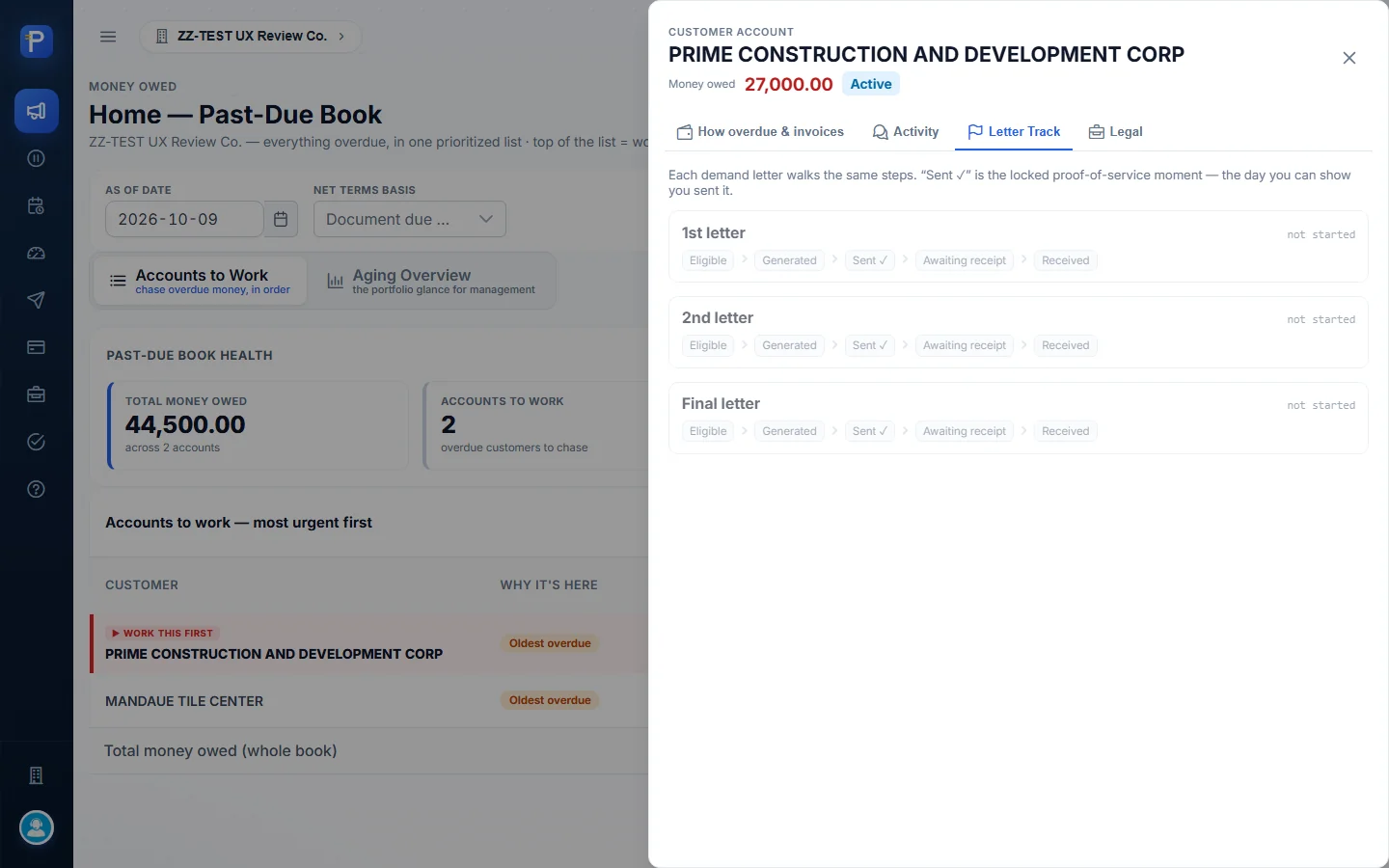
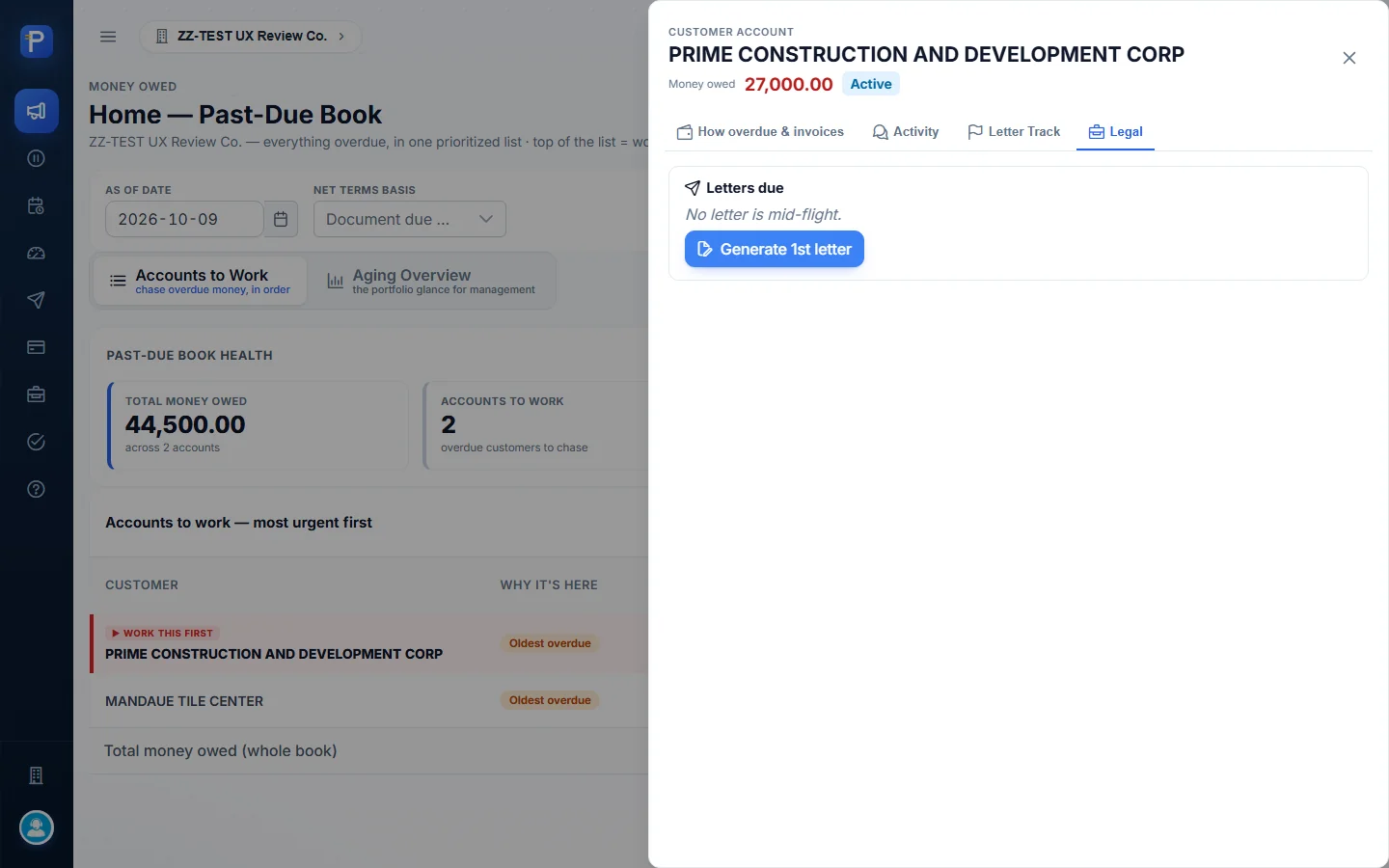
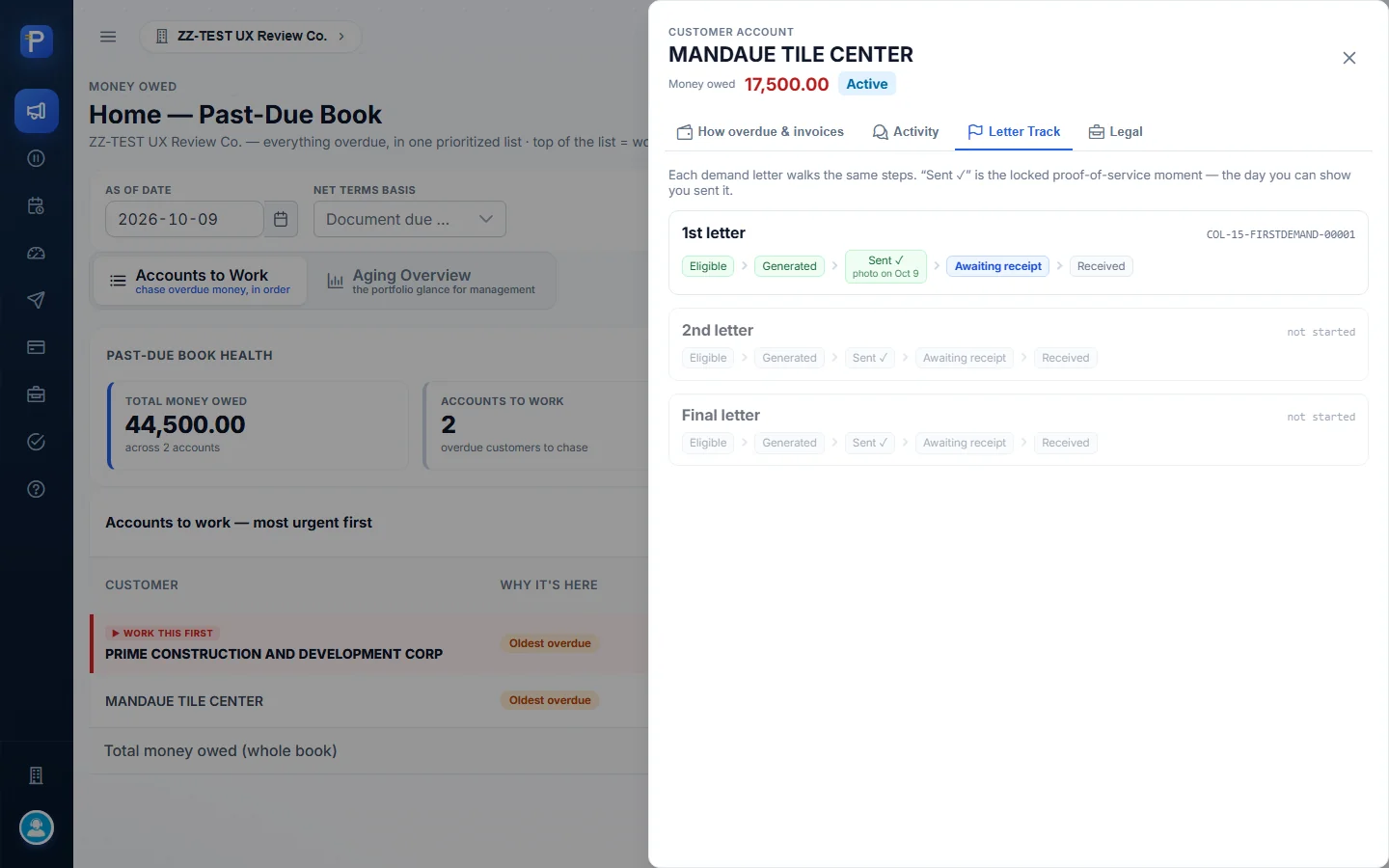
Activity has the action buttons (Log activity, Mark Kept (manual), Place on hold, Mark disputed) and a dated Timeline. Letter Track shows the 1st, 2nd and Final letters, each moving through Eligible → Generated → Sent ✓ → Awaiting receipt → Received. Legal has the “Letters due” panel and the Generate letter buttons.
Logging a call or visit
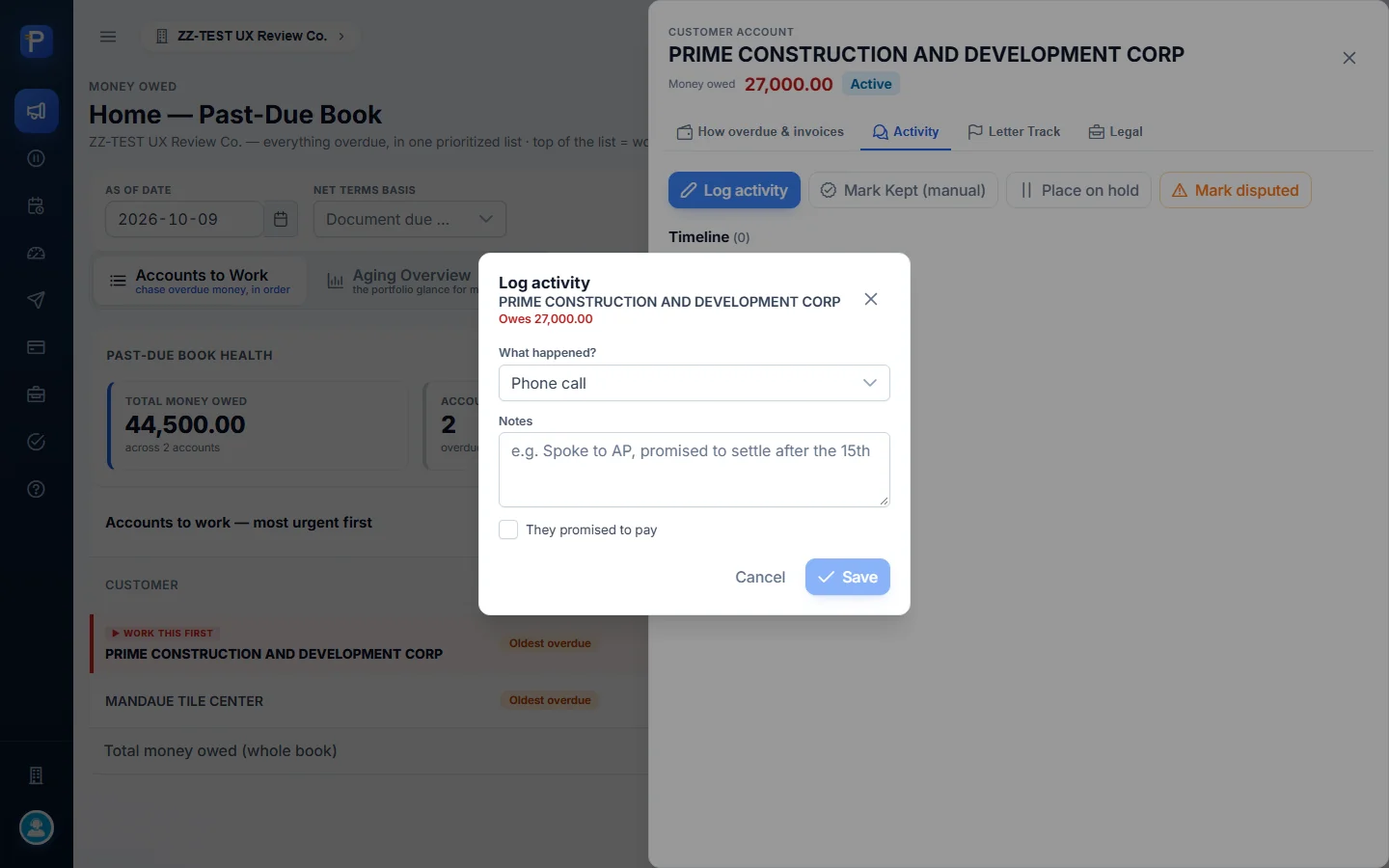
The Log activity form records a call, visit or note against the account. It has three fields: What happened? (Phone call, Visit or Note), Notes (free text), and a They promised to pay checkbox. Save stays disabled until there’s a note.
Here’s what I did on PRIME CONSTRUCTION:
- Opened the account, went to the Activity tab and clicked Log activity.
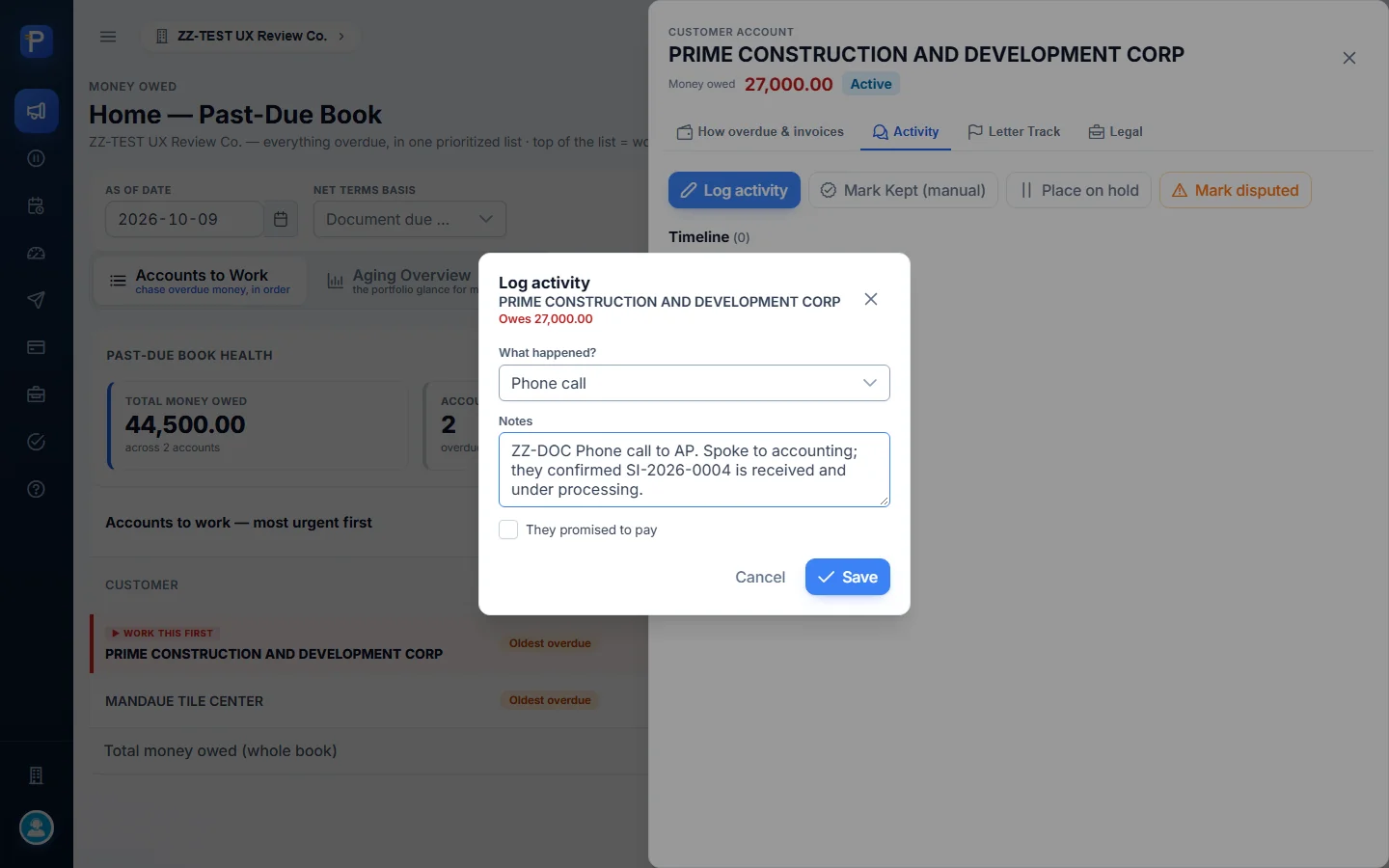
- Left Phone call selected and typed: “ZZ-DOC Phone call to AP. Spoke to accounting; they confirmed SI-2026-0004 is received and under processing.”
- Clicked Save. The timeline showed “Call logged”, stamped Oct 9, 2026 · 1:53 PM · Admin Admin.

Recording a promise to pay
A promise is a customer’s commitment to pay, kept so it can later be matched against real receipts.
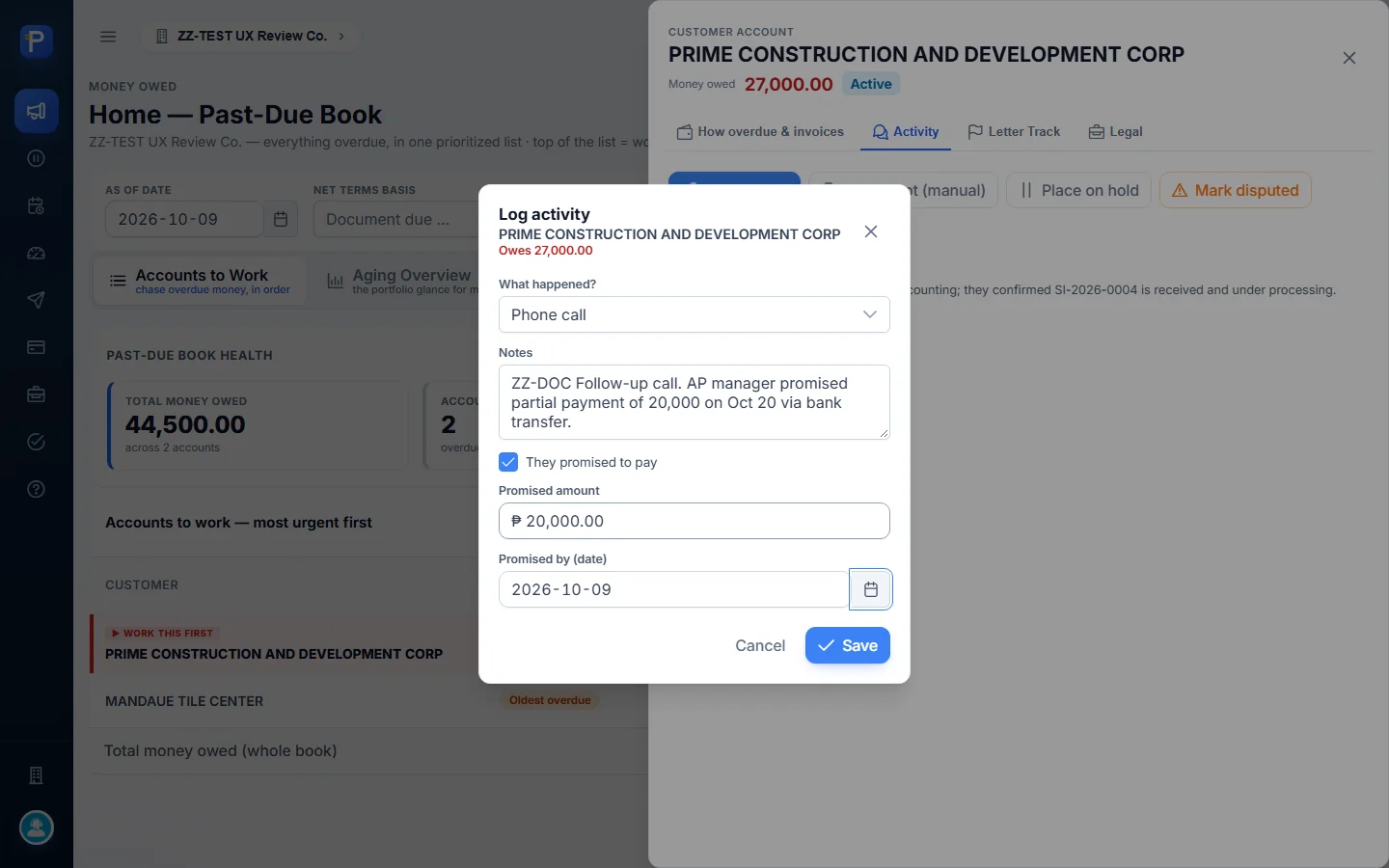
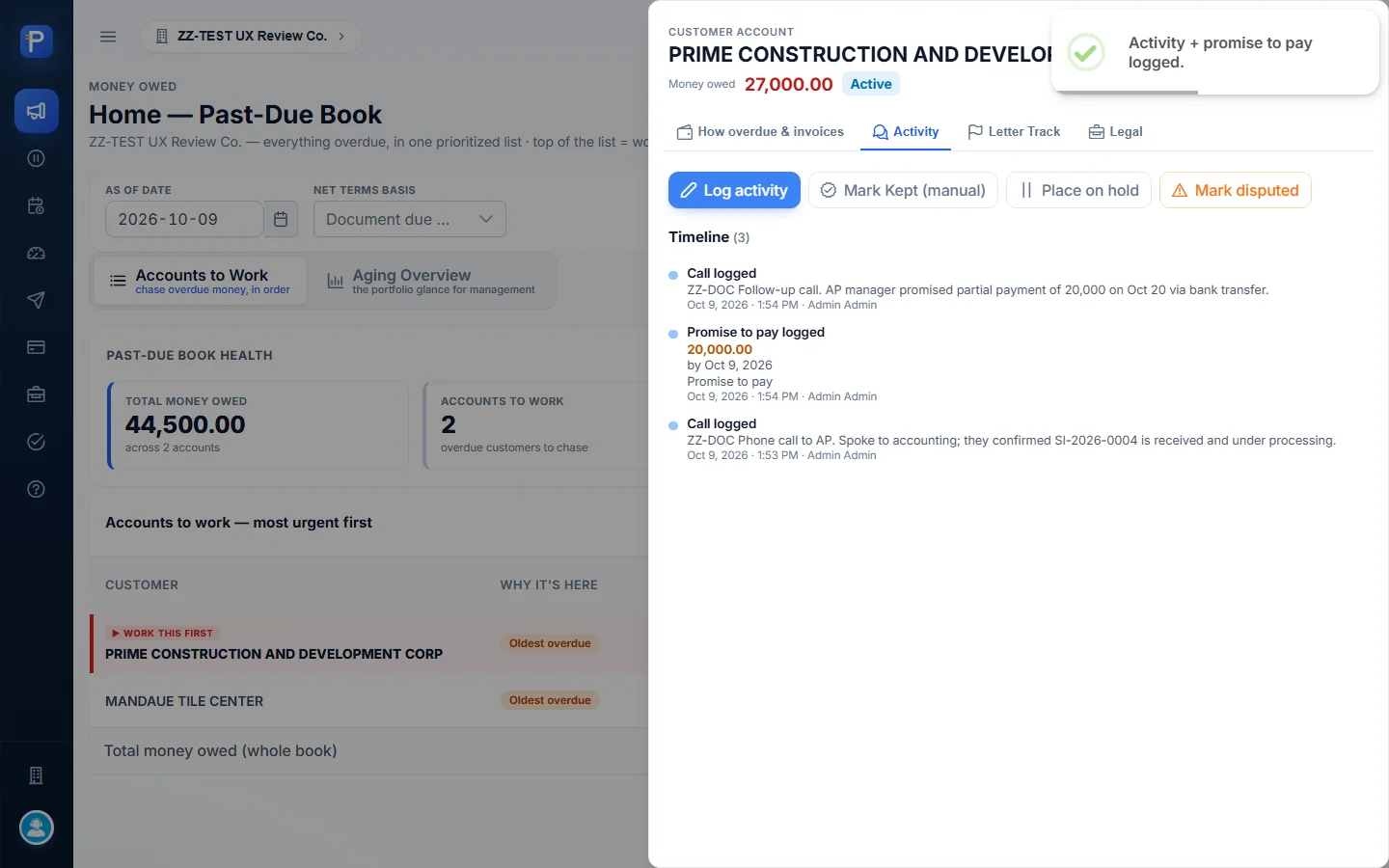
- I clicked Log activity again and entered “ZZ-DOC Follow-up call. AP manager promised partial payment of 20,000 on Oct 20 via bank transfer.”
- I ticked They promised to pay. Two more fields appeared: Promised amount, which defaults to the full balance (₱27,000.00), and Promised by (date). I changed the amount to ₱20,000.00.
- I clicked Save.
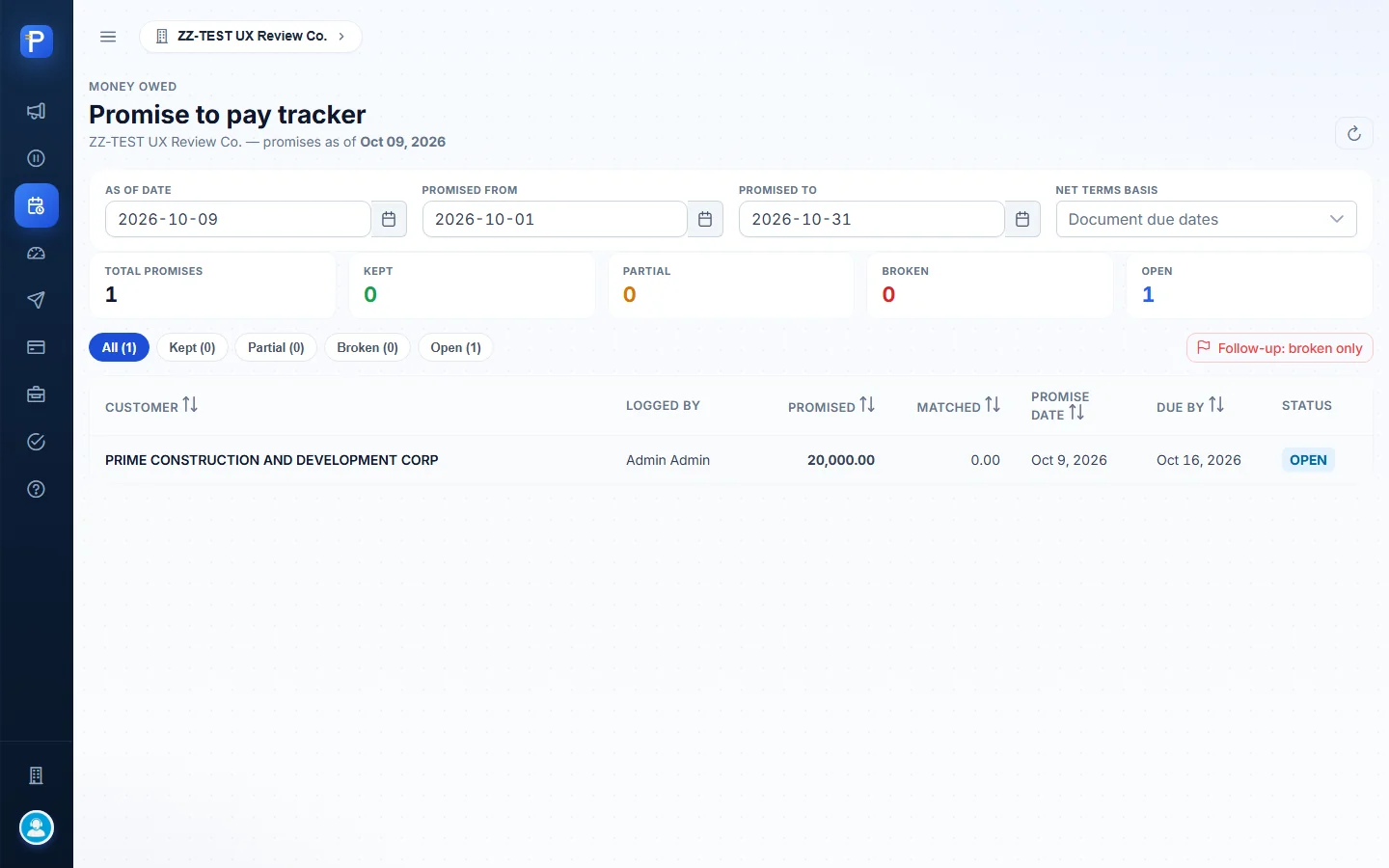
The timeline added two entries, “Call logged” and “Promise to pay logged 20,000.00”. On the worklist, PRIME’s status changed from Active to Promised. The Promises register showed the promise as OPEN: promised ₱20,000.00, matched ₱0.00, promise date Oct 9, 2026, due by Oct 16, 2026.
The due-by date is the promise date plus a 7-day grace. My attempt to set Oct 20 as the date didn’t take (more in the testing notes), so the promise date stayed at Oct 9.

Marking a promise kept by hand
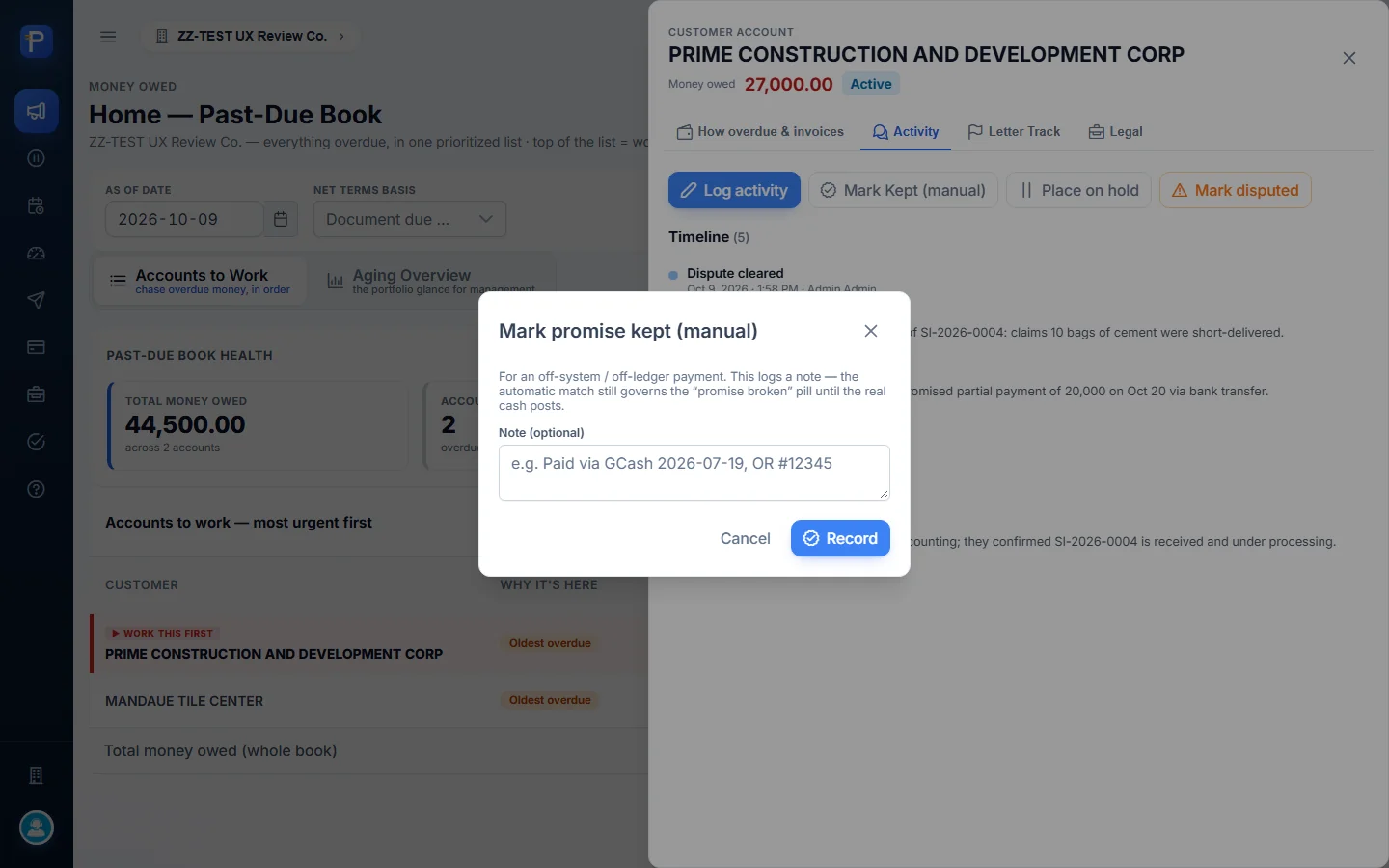
Mark Kept (manual) is for a payment made outside the system. The dialog is upfront about what it does: “This logs a note — the automatic match still governs the ‘promise broken’ pill until the real cash posts.”
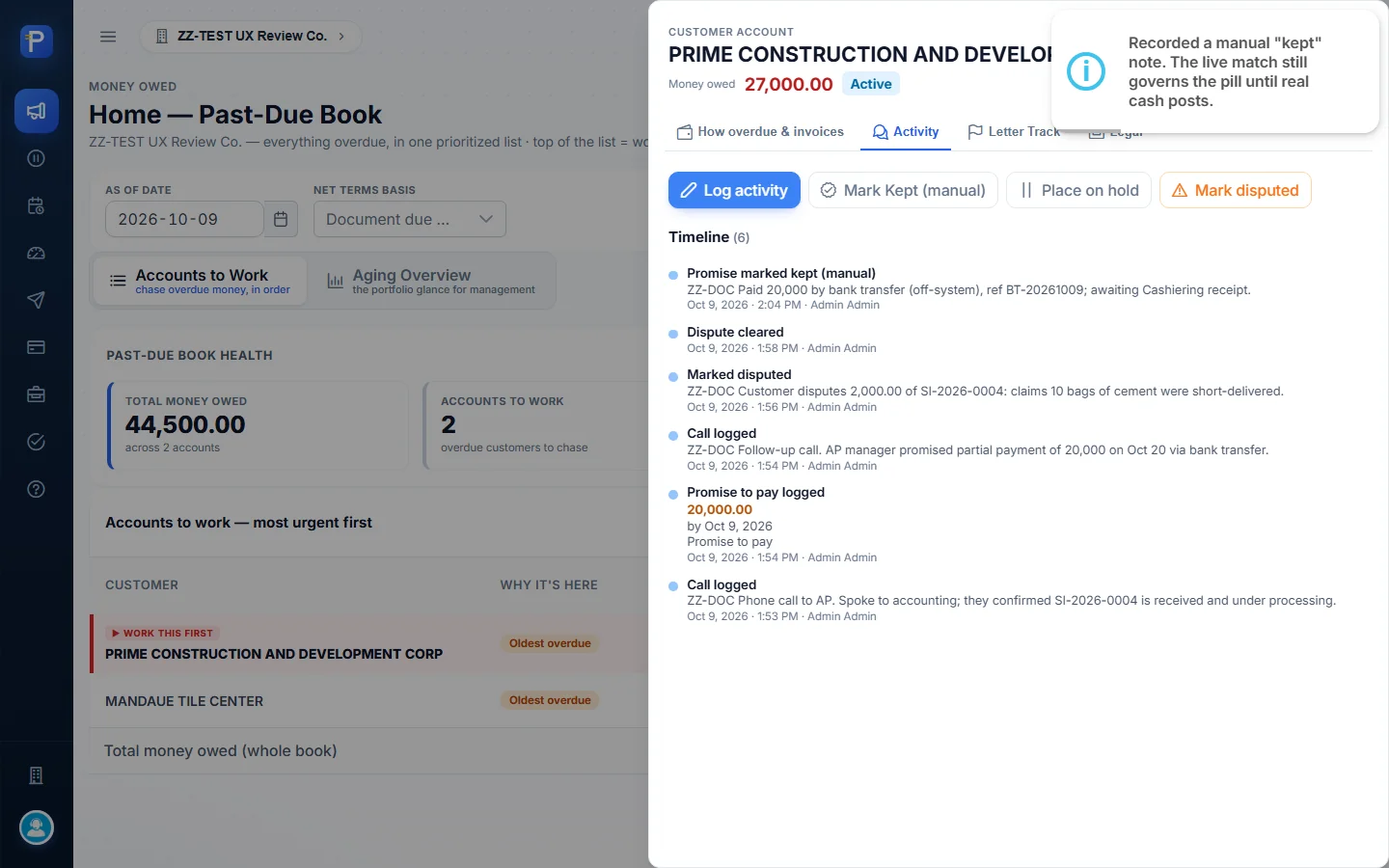
I recorded “ZZ-DOC Paid 20,000 by bank transfer (off-system)…”. The timeline added “Promise marked kept (manual)”, but the Promises register still showed the promise as OPEN with ₱0.00 matched. That’s the behaviour the dialog describes. Only a real receipt posted in Cashiering moves a promise to KEPT.
Demand letters and proof of service
Formal escalation goes 1st, 2nd, then Final demand. Each letter needs two pieces of evidence: a photo proving it was sent, and the signed return card proving it was received.
I tried it on MANDAUE TILE CENTER:
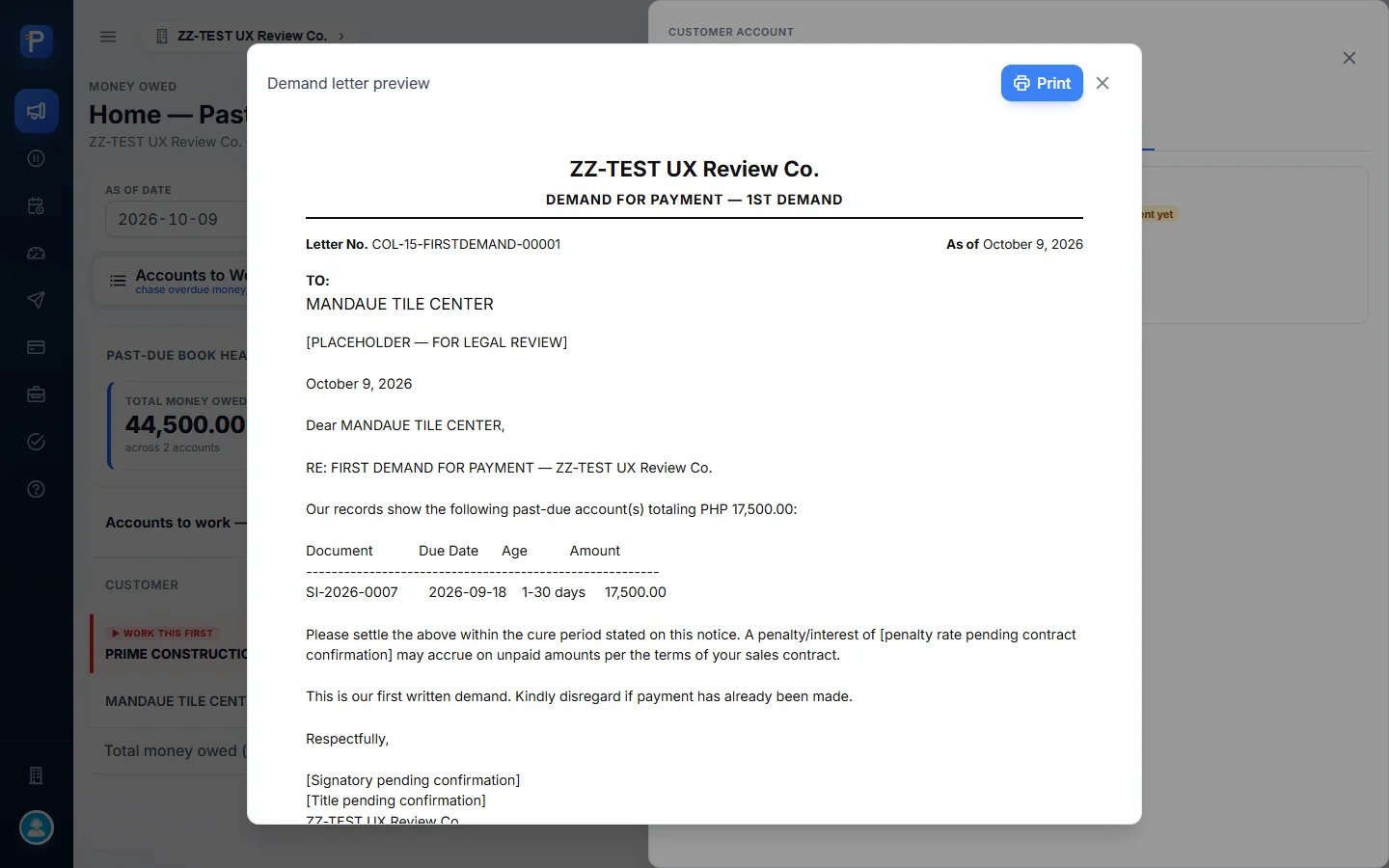
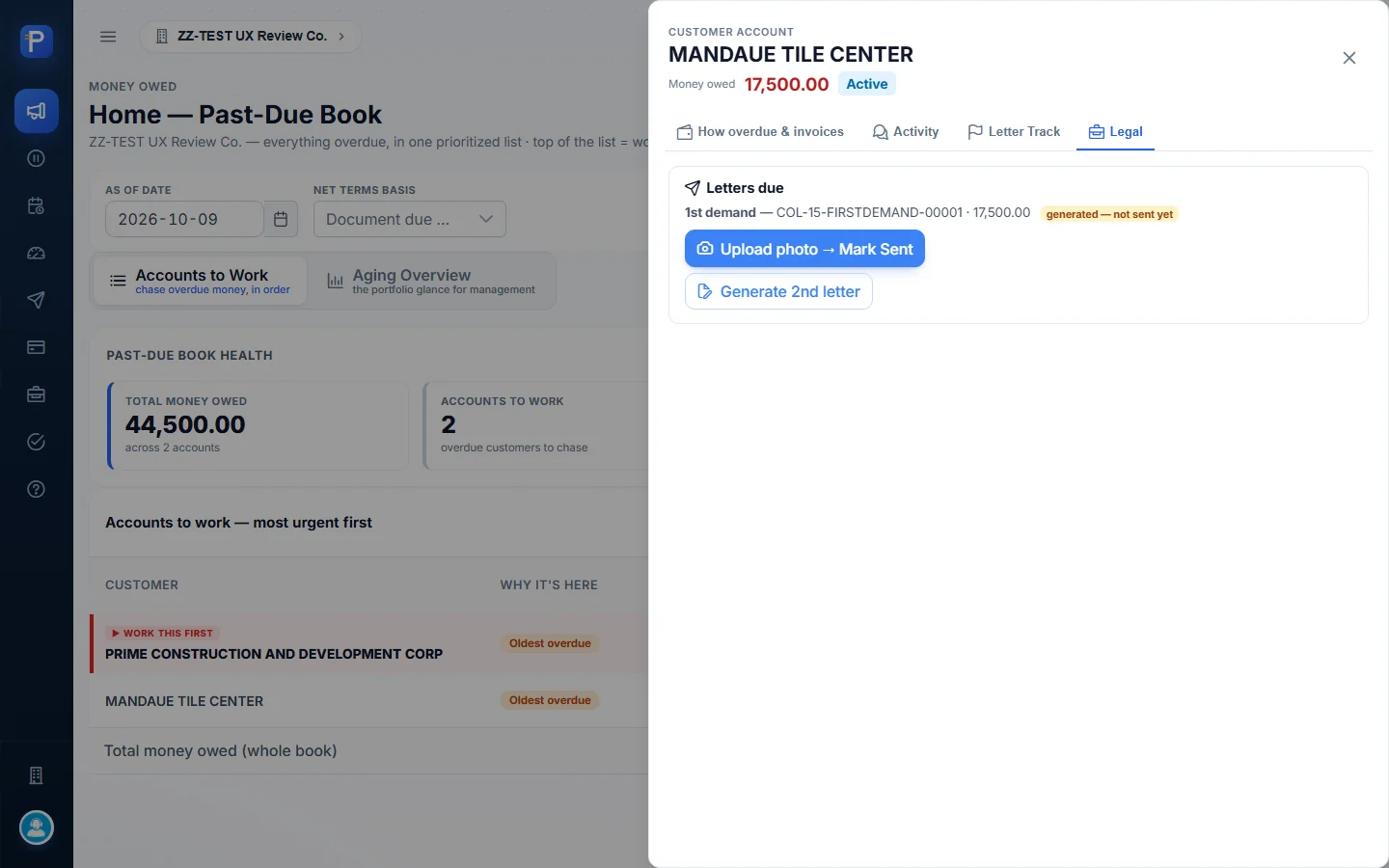
- In the Legal tab I clicked Generate 1st letter. A Demand letter preview opened with a Print button. The letter was numbered COL-15-FIRSTDEMAND-00001, dated October 9, 2026, addressed to MANDAUE TILE CENTER, and covered the past-due invoice SI-2026-0007 (due 2026-09-18, 1 to 30 days, ₱17,500.00). The template still has placeholders in it, like “[PLACEHOLDER — FOR LEGAL REVIEW]”, “[penalty rate pending contract confirmation]” and “[Signatory pending confirmation]”.
- The Legal tab then read “1st demand — COL-15-FIRSTDEMAND-00001 · 17,500.00 generated — not sent yet”, with Upload photo → Mark Sent and Generate 2nd letter. On the worklist, the status changed from Active to 1st Demand.
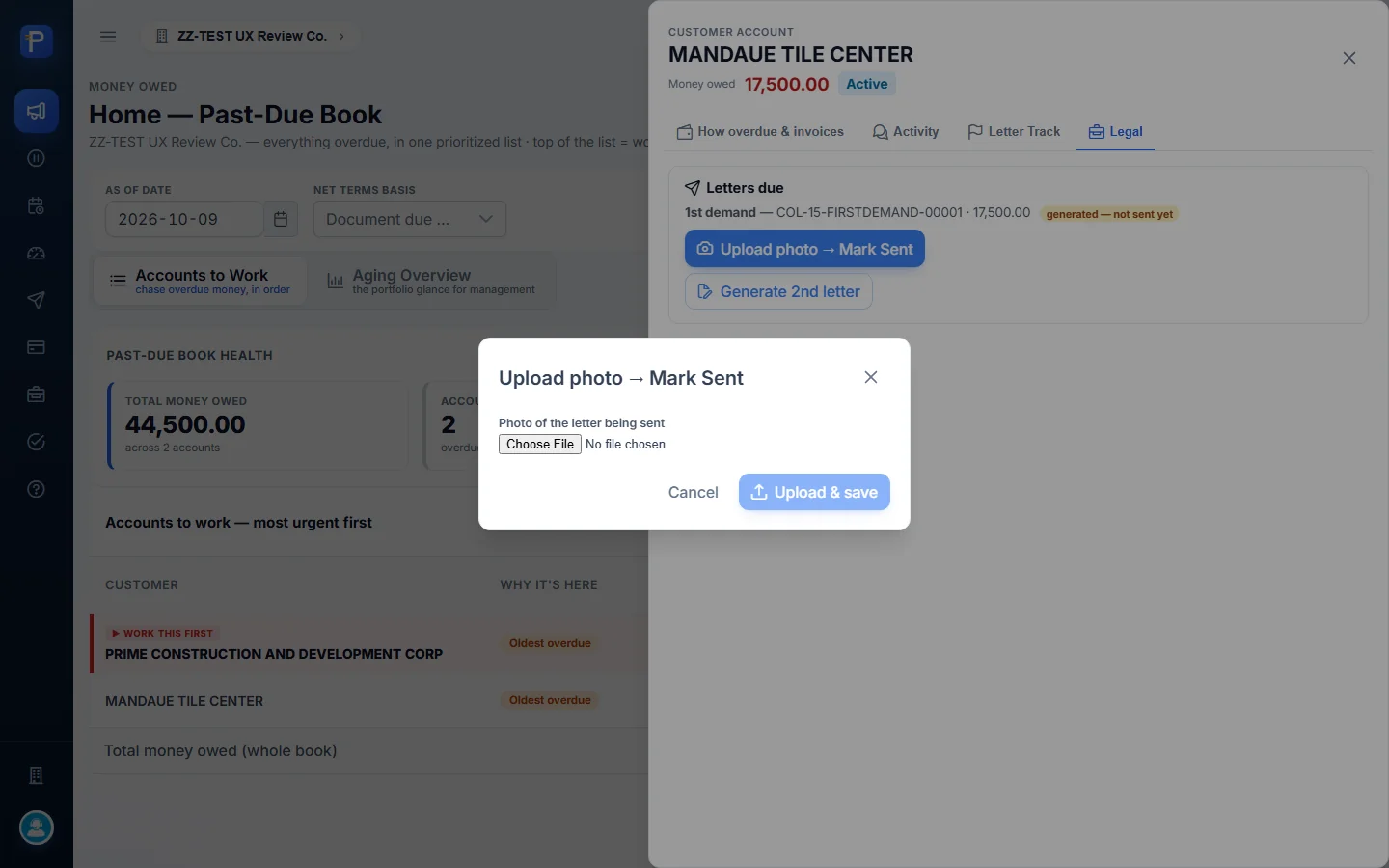
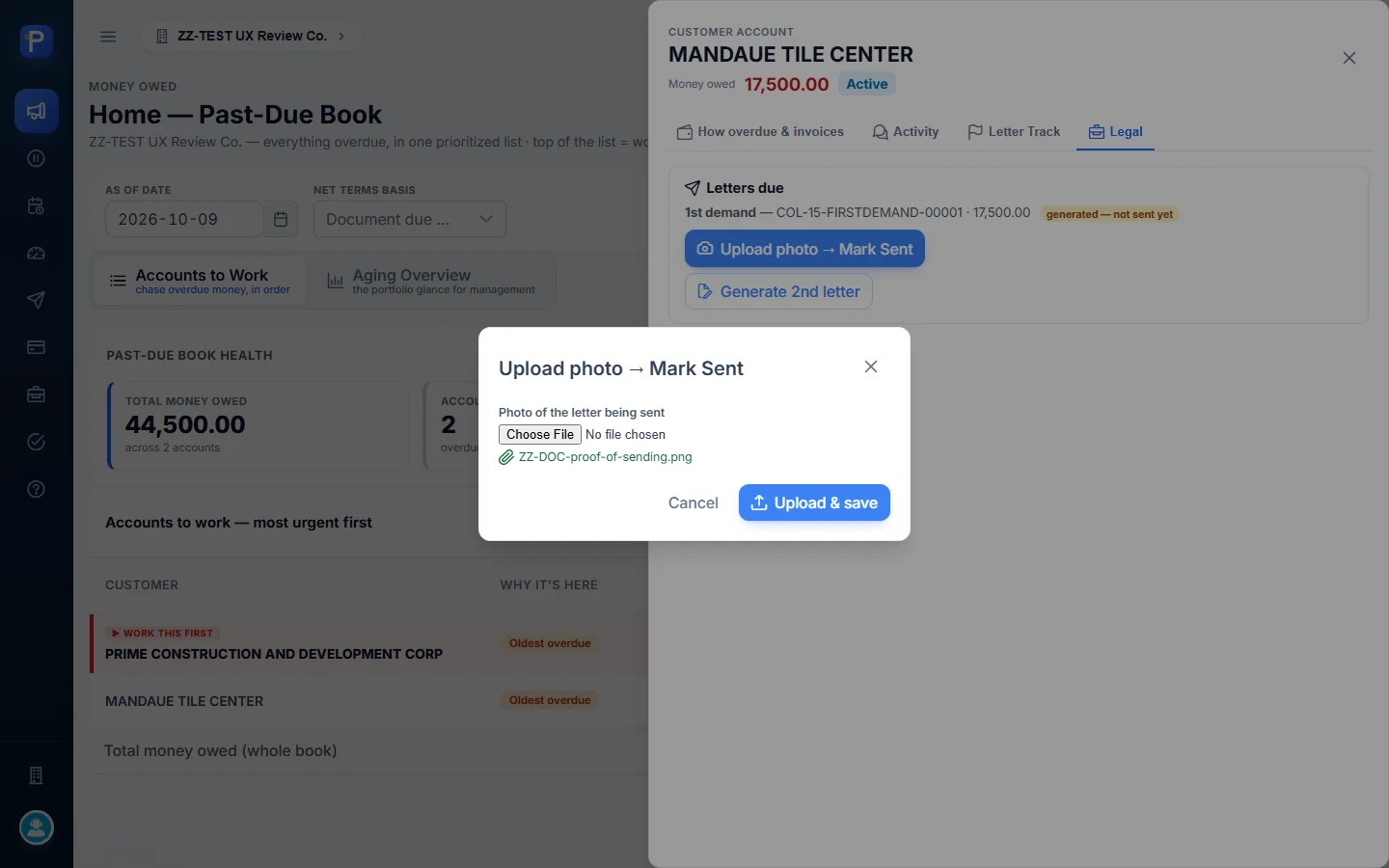
- I clicked Upload photo → Mark Sent, picked a file (images or PDF are accepted) and clicked Upload & save. I used a placeholder image called ZZ-DOC-proof-of-sending.png.
- The Legal tab now read “sent — awaiting the signed card” and offered Upload signed card → Mark Received. In Letter Track, the 1st letter showed Sent ✓ photo on Oct 9 and was highlighted at Awaiting receipt.
I stopped there, so the letter is still awaiting receipt. Per the Help page and the welcome card, what’s left is Mark Received, then the 2nd and Final letters, then a grace period after the Final letter is received. After that, Send to lawyer becomes available.


Mark Settled and Report a wrong number
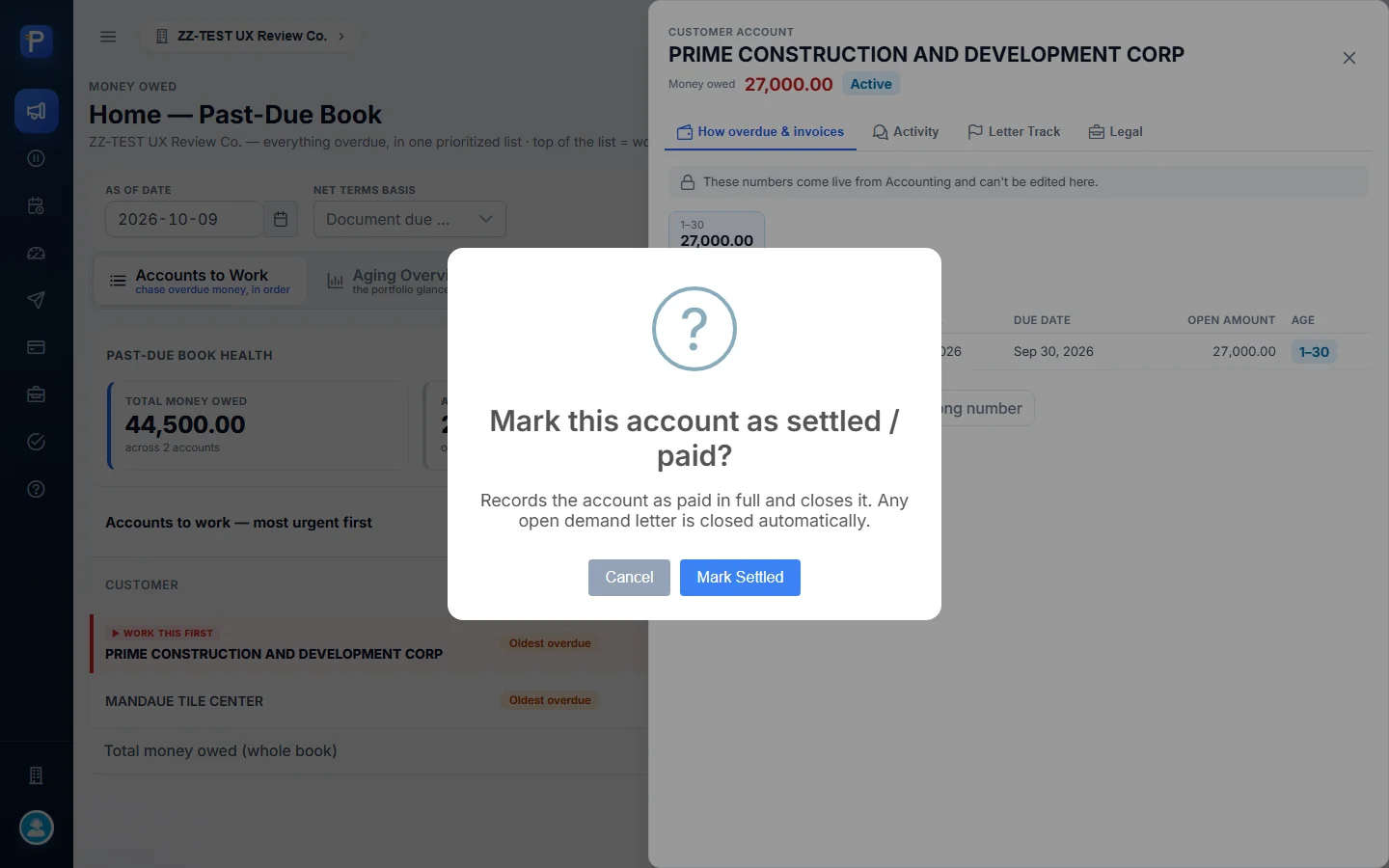
Mark Settled asks “Mark this account as settled / paid?” and explains that it “Records the account as paid in full and closes it. Any open demand letter is closed automatically.” I didn’t confirm it, since the account still owed money.
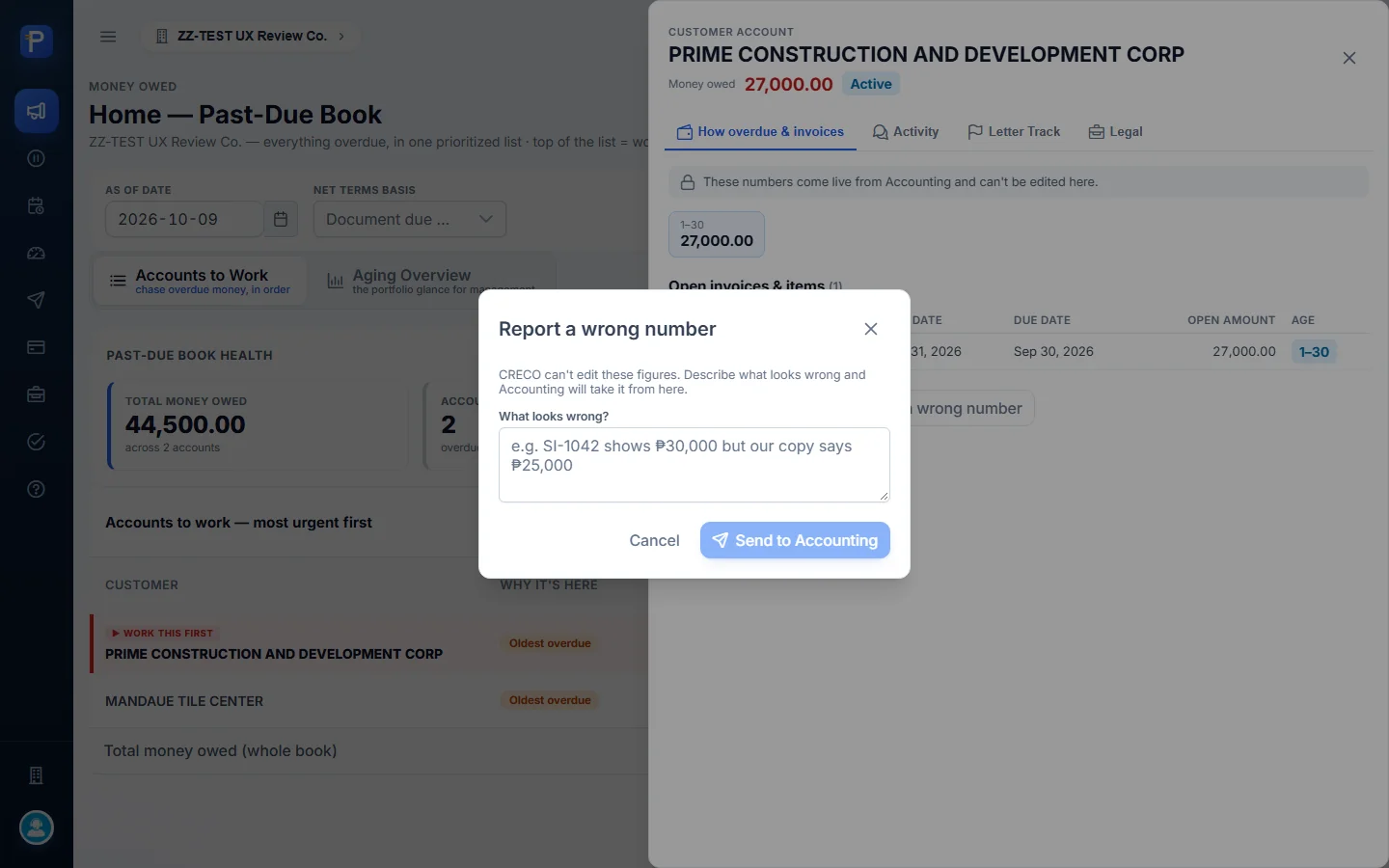
Report a wrong number sends a description of the problem to Accounting (“CRECO can’t edit these figures”). I opened it but didn’t send anything.
Holds and disputes
Placing a hold, then releasing it
A hold pauses chasing for a stated reason. The account leaves the worklist while it’s on hold.
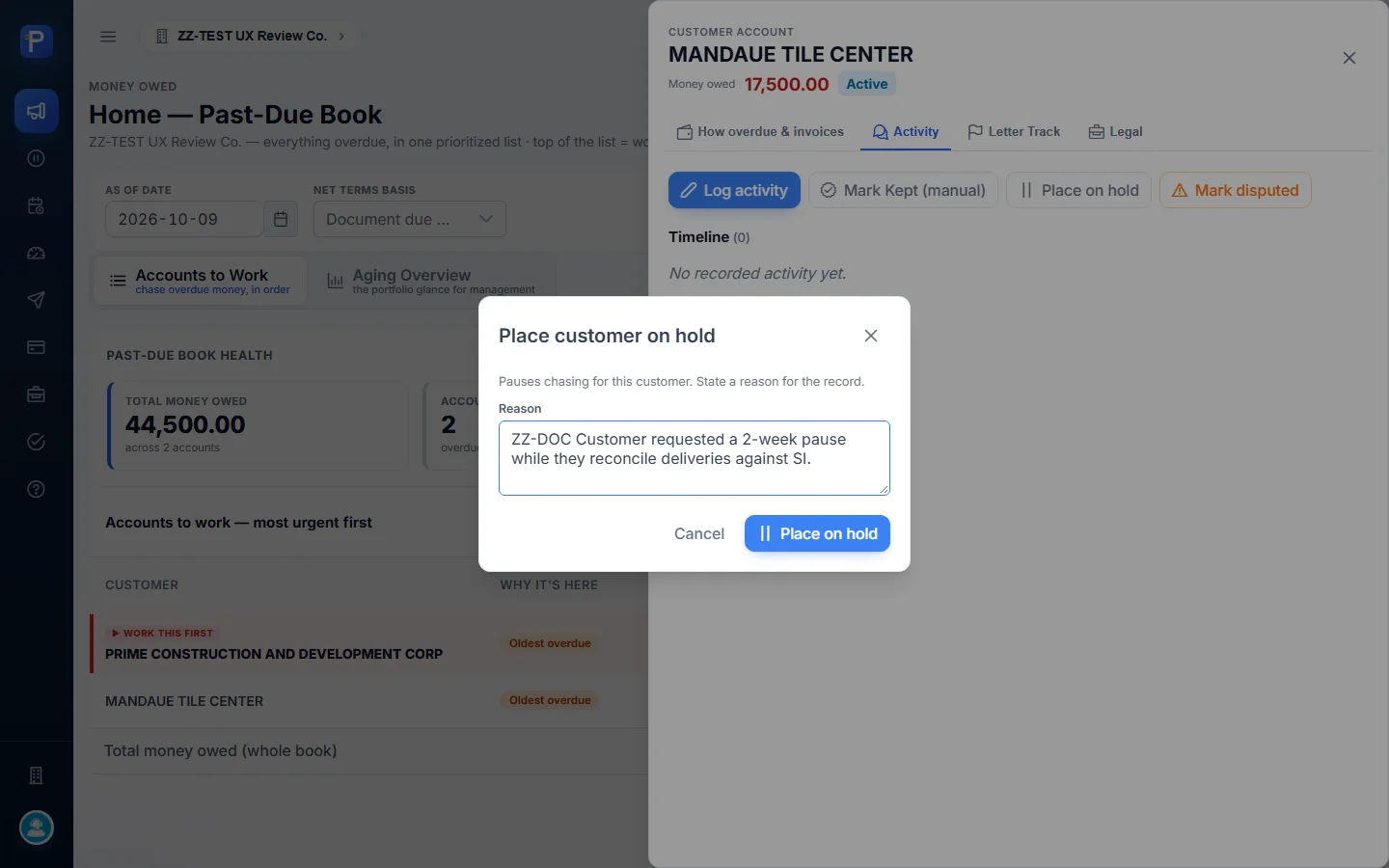
- In MANDAUE’s Activity tab I clicked Place on hold and entered “ZZ-DOC Customer requested a 2-week pause while they reconcile deliveries against SI.” The button stays disabled until there’s a reason.
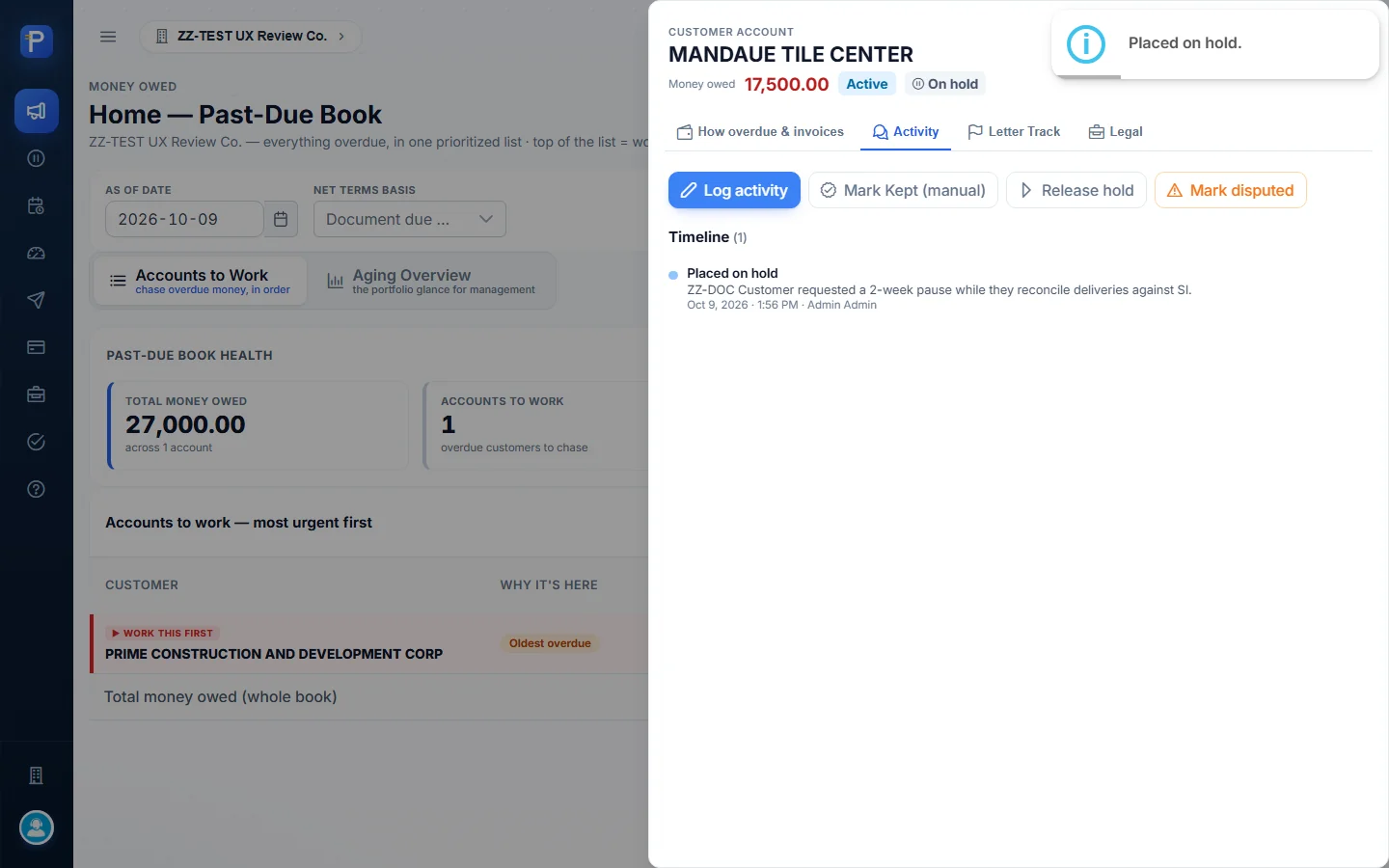
- After I confirmed, the drawer header got an On hold chip and the button changed to Release hold. MANDAUE dropped off the worklist and the total fell to ₱27,000.00.
- Holds & Disputes listed MANDAUE with the reason, who placed the hold, when, and a Release Hold button.
- I clicked Release Hold and confirmed “The customer re-enters the normal dunning worklist.” A toast said “Hold released.” and MANDAUE came back to the worklist.

Raising a dispute, then resolving it
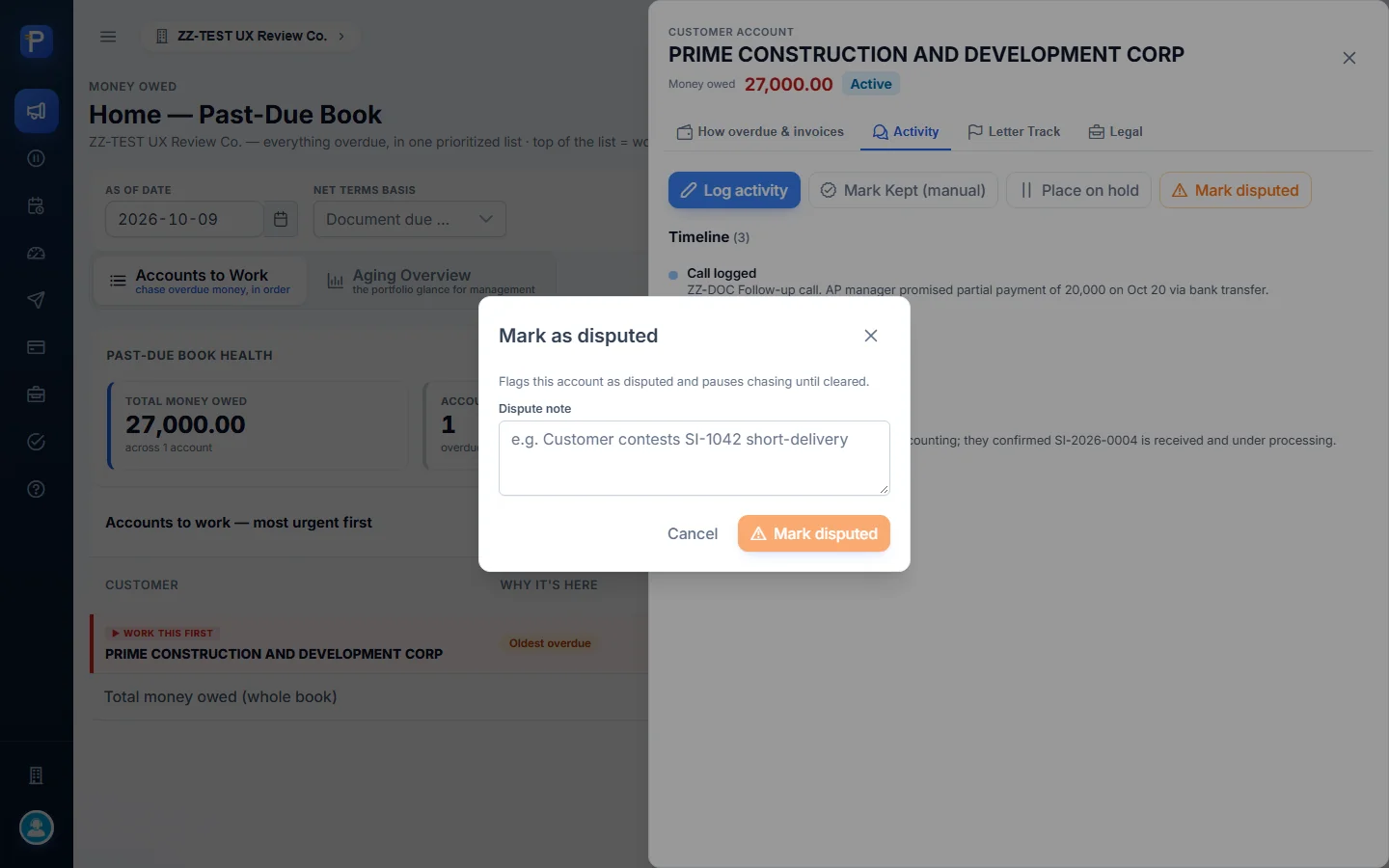
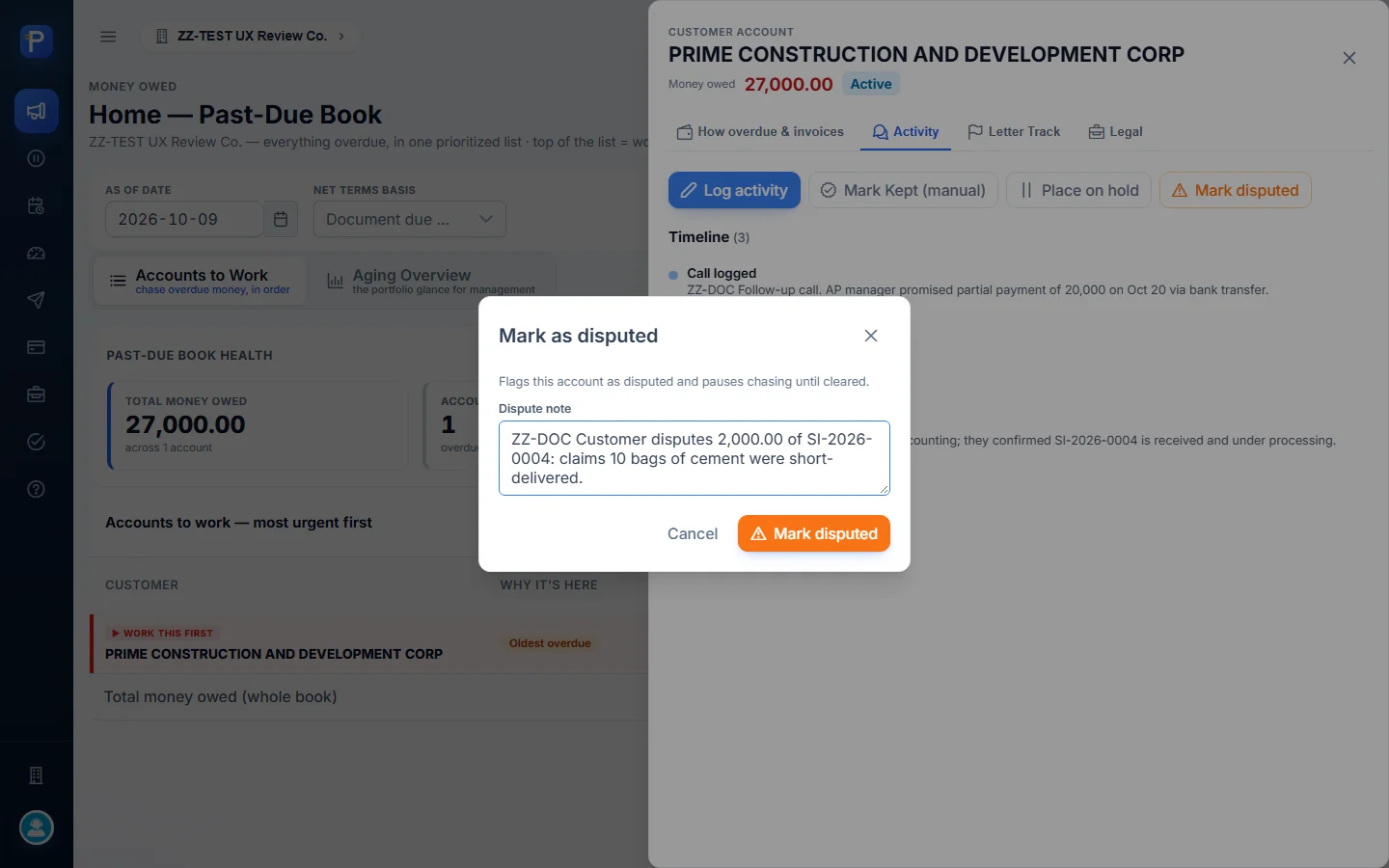
- In PRIME’s Activity tab I clicked Mark disputed (“Flags this account as disputed and pauses chasing until cleared”) and entered “ZZ-DOC Customer disputes 2,000.00 of SI-2026-0004: claims 10 bags of cement were short-delivered.”
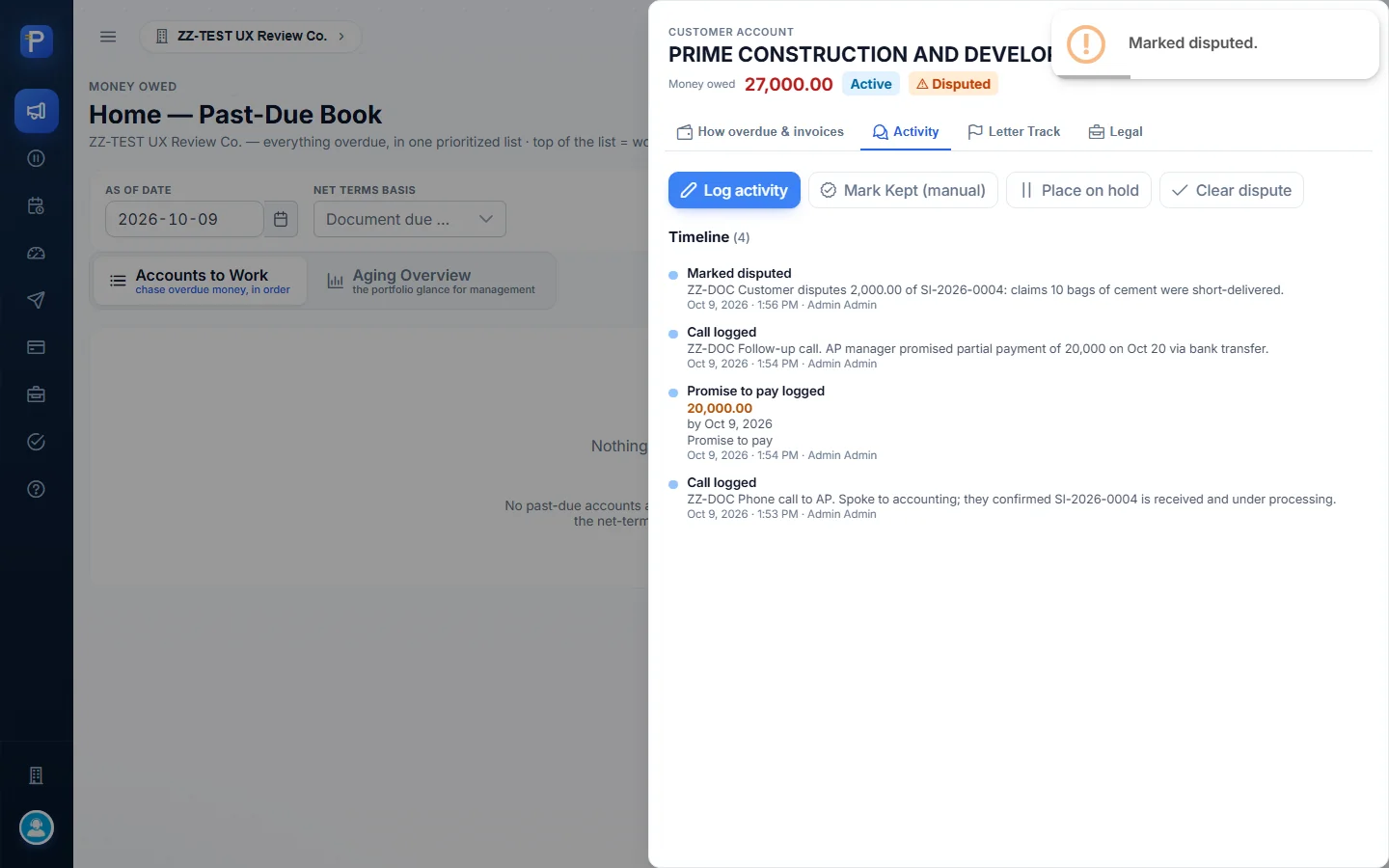
- After I confirmed, a Disputed chip appeared, the button became Clear dispute, and the timeline logged “Marked disputed”. With both accounts held back, the worklist showed its empty state: “Nothing overdue — your book is clean.”
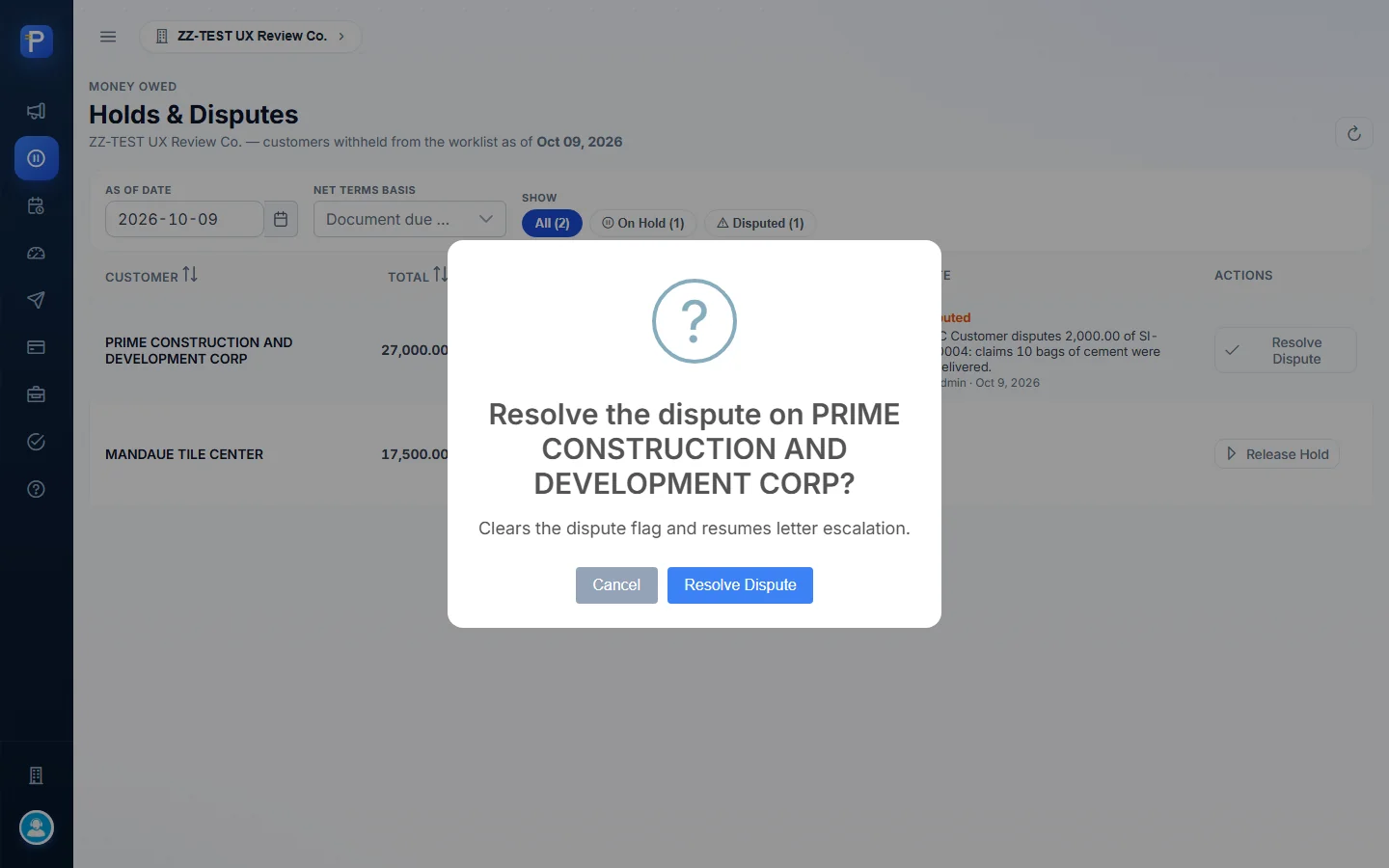
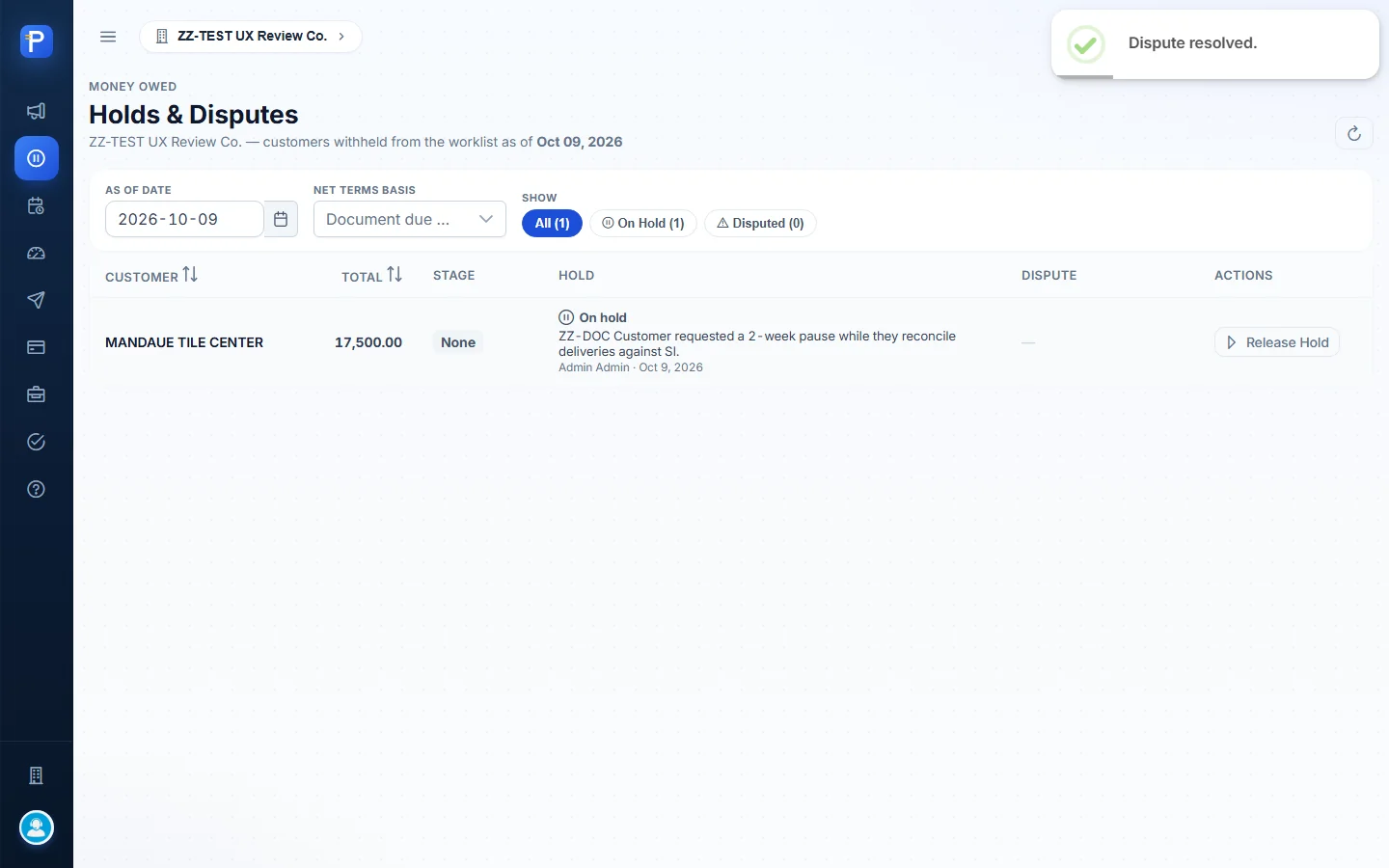
- In Holds & Disputes (All 2 / On Hold 1 / Disputed 1) I clicked Resolve Dispute and confirmed “Clears the dispute flag and resumes letter escalation.” A toast said “Dispute resolved.” and the timeline logged “Dispute cleared”.
A dispute is raised against the customer account, not a single invoice. You can only mention the invoice in the note.


Promises
The promise-to-pay register
Every promise logged from the account drawer lands here. You can filter by as-of date, a promised-from and promised-to period, and net-terms basis. Counter tiles show Total, Kept, Partial, Broken and Open, chips filter by status, and a Follow-up: broken only shortcut gives you the follow-up queue.
The columns are Customer, Logged by, Promised, Matched, Promise Date, Due By and Status.
According to Help, Matched comes from payments posted in Cashiering. A promise turns KEPT on its own when payments match it inside the promise window, and BROKEN when the date plus grace passes with no payment.

Credit control
Credit Terms
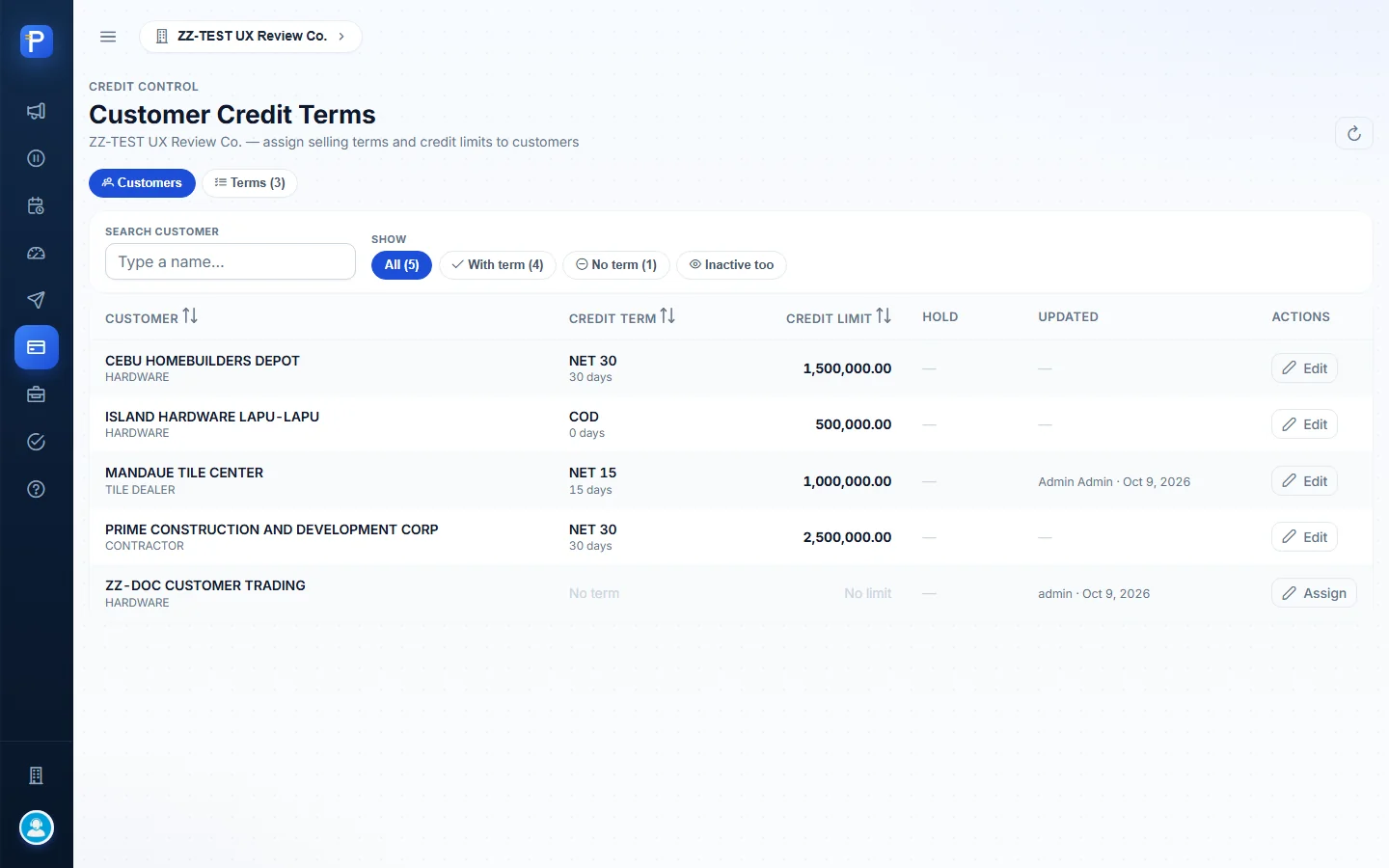
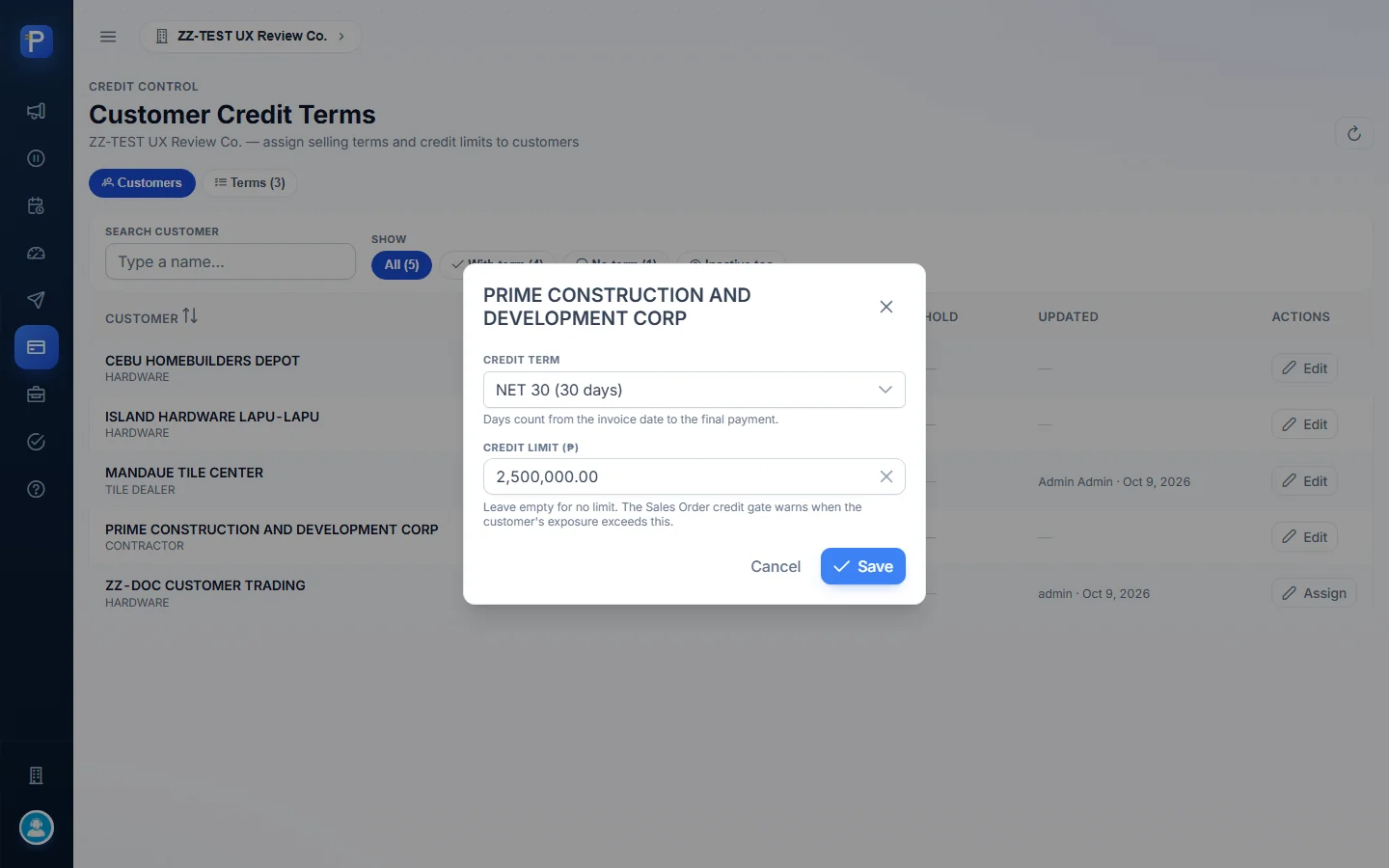
This is where you set the terms the company sells on and give each customer a term and a credit limit. The credit limit is what the DMS Sales Order credit gate checks.
In the Customers view each row shows Credit Term, Credit Limit, Hold, Updated and an Assign/Edit button. The ZZ-TEST customers were:
| Customer | Term | Credit limit |
|---|---|---|
| CEBU HOMEBUILDERS DEPOT | NET 30 | ₱1,500,000 |
| ISLAND HARDWARE LAPU-LAPU | COD | ₱500,000 |
| MANDAUE TILE CENTER | NET 15 | ₱1,000,000 |
| PRIME CONSTRUCTION | NET 30 | ₱2,500,000 |
| ZZ-DOC CUSTOMER TRADING | No term | No limit |
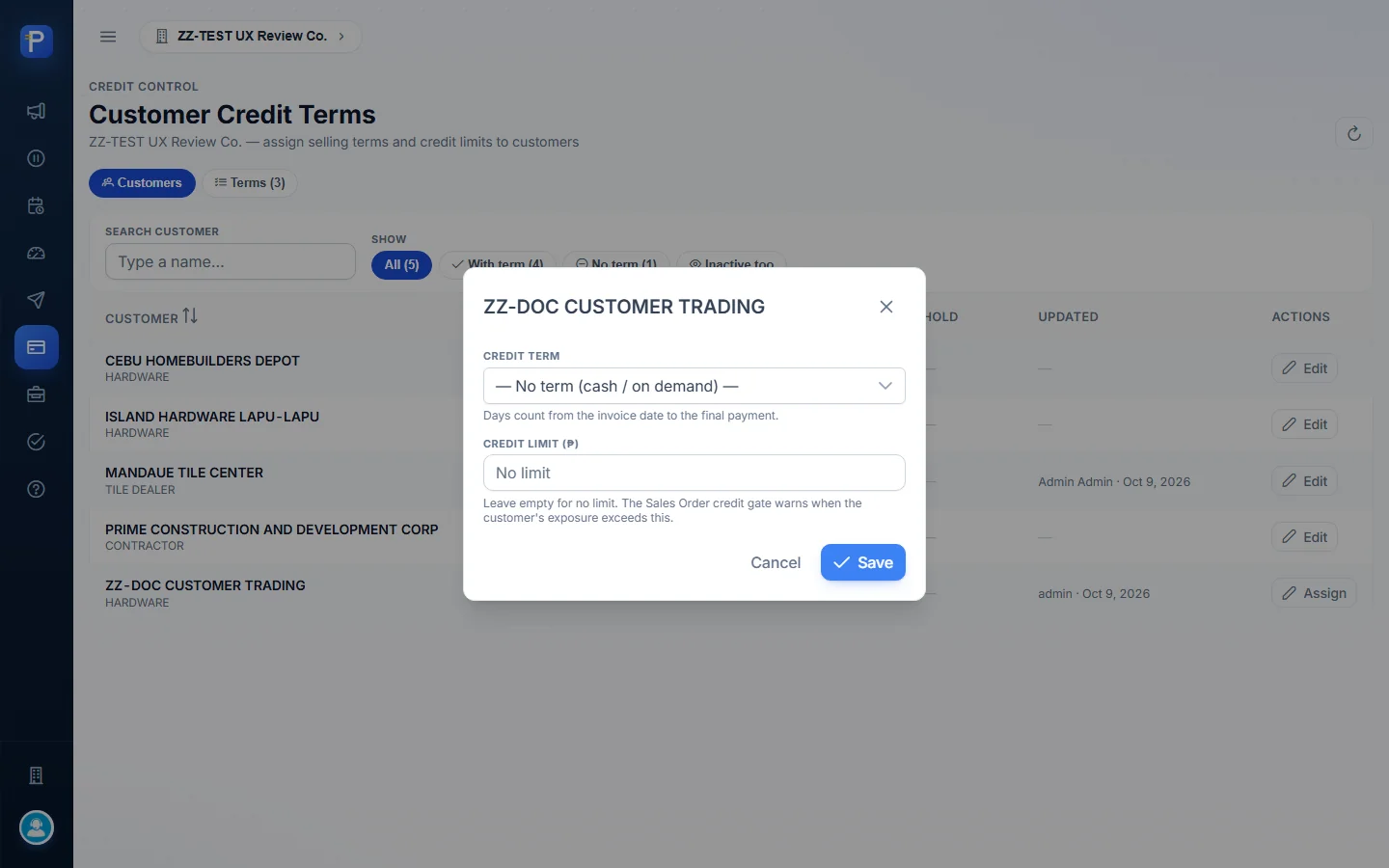
The Assign/Edit dialog has two fields. In Credit term, “— No term (cash / on demand) —” clears the term. In Credit limit (₱), leaving it empty means no limit, and the hint says: “The Sales Order credit gate warns when the customer’s exposure exceeds this.”
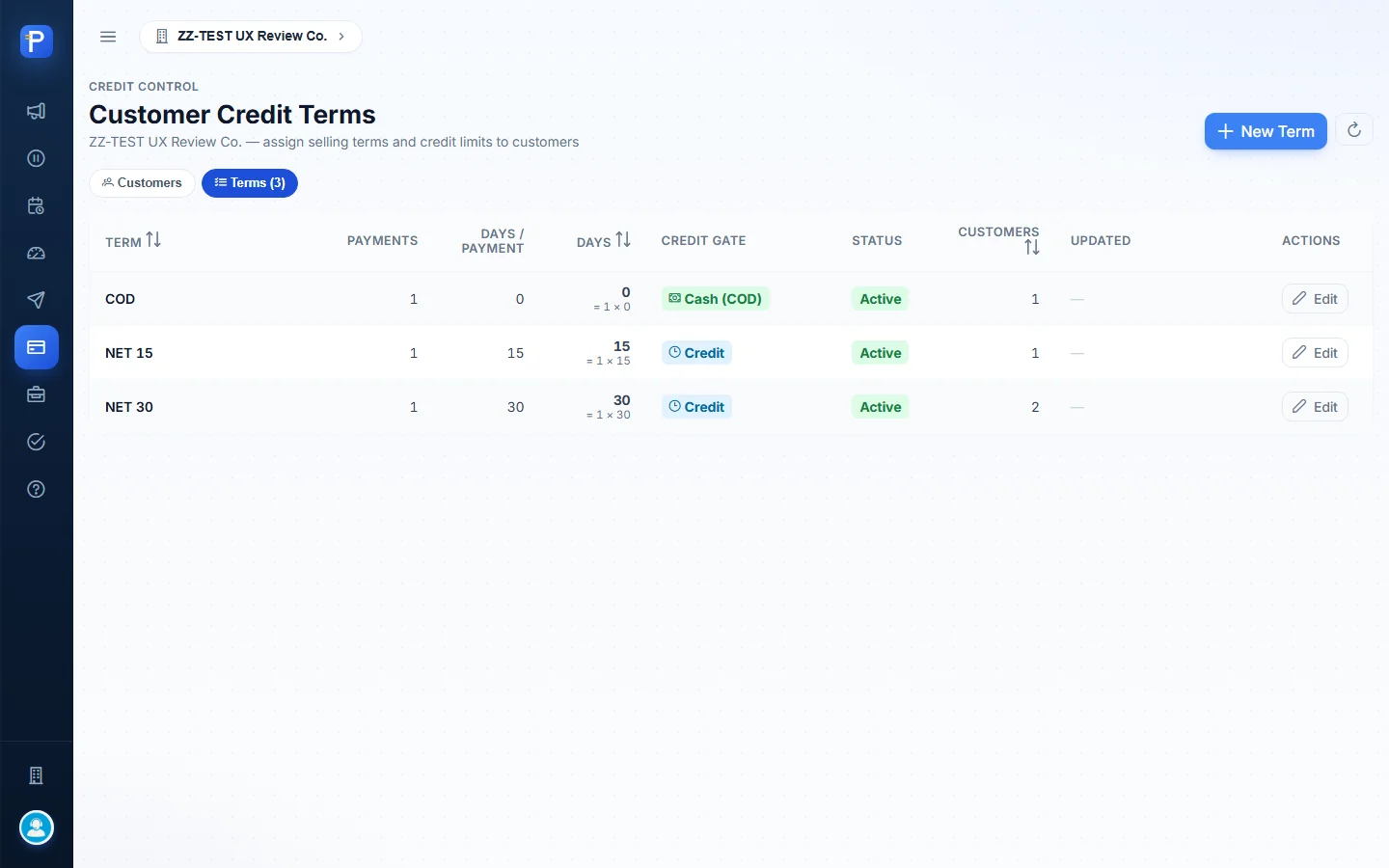
The Terms view lists COD (1 × 0 days, Cash gate), NET 15 (1 × 15) and NET 30 (1 × 30). The last two use the Credit gate. Each row shows its status and how many customers are on it.
The New Term form has Term name, Payments, Days per payment and Active, and works out the result for you: “Final payment falls 30 days after the invoice date.”
I opened these forms but didn’t save anything, because the existing terms belong to other test data.

Credit Standing
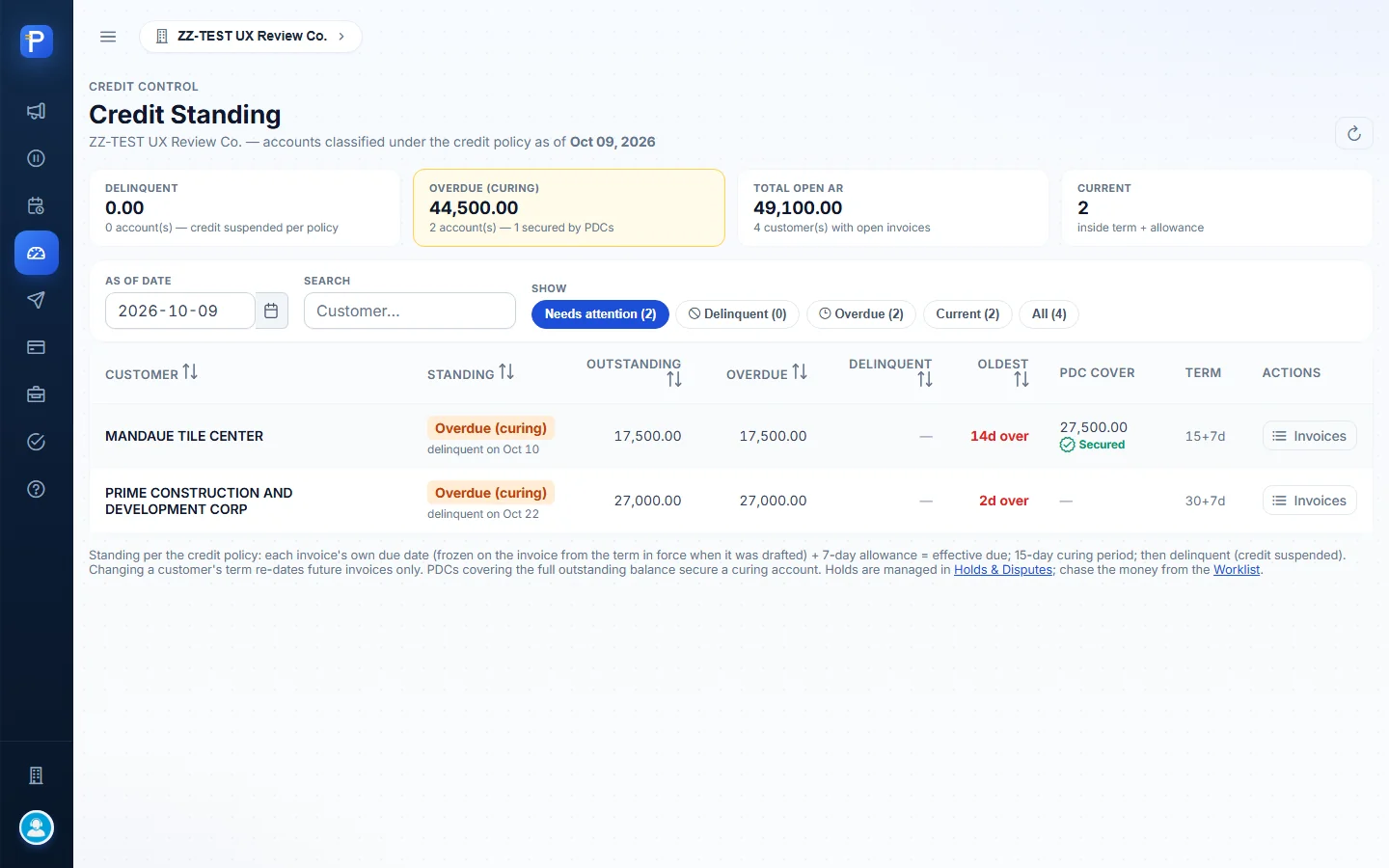
Credit Standing puts every account into a class under the credit policy. The policy is spelled out on screen:
- Each invoice’s due date plus a 7-day allowance gives its effective due date.
- After the effective due date, the account is Overdue (curing) for 15 days.
- If curing runs out with the account unsettled, it becomes Delinquent and credit is suspended.
- PDCs that cover the full outstanding balance mark a curing account as Secured.
The tiles showed Delinquent ₱0.00 (0 accounts), Overdue (curing) ₱44,500.00 (2 accounts, “1 secured by PDCs”), Total open AR ₱49,100.00 (4 customers), and Current 2.
MANDAUE was Overdue (curing), “delinquent on Oct 10”, 14 days over, with PDC cover of ₱27,500.00 marked Secured, on term 15+7d. PRIME was Overdue (curing), “delinquent on Oct 22”, 2 days over, with no PDC cover, on term 30+7d.
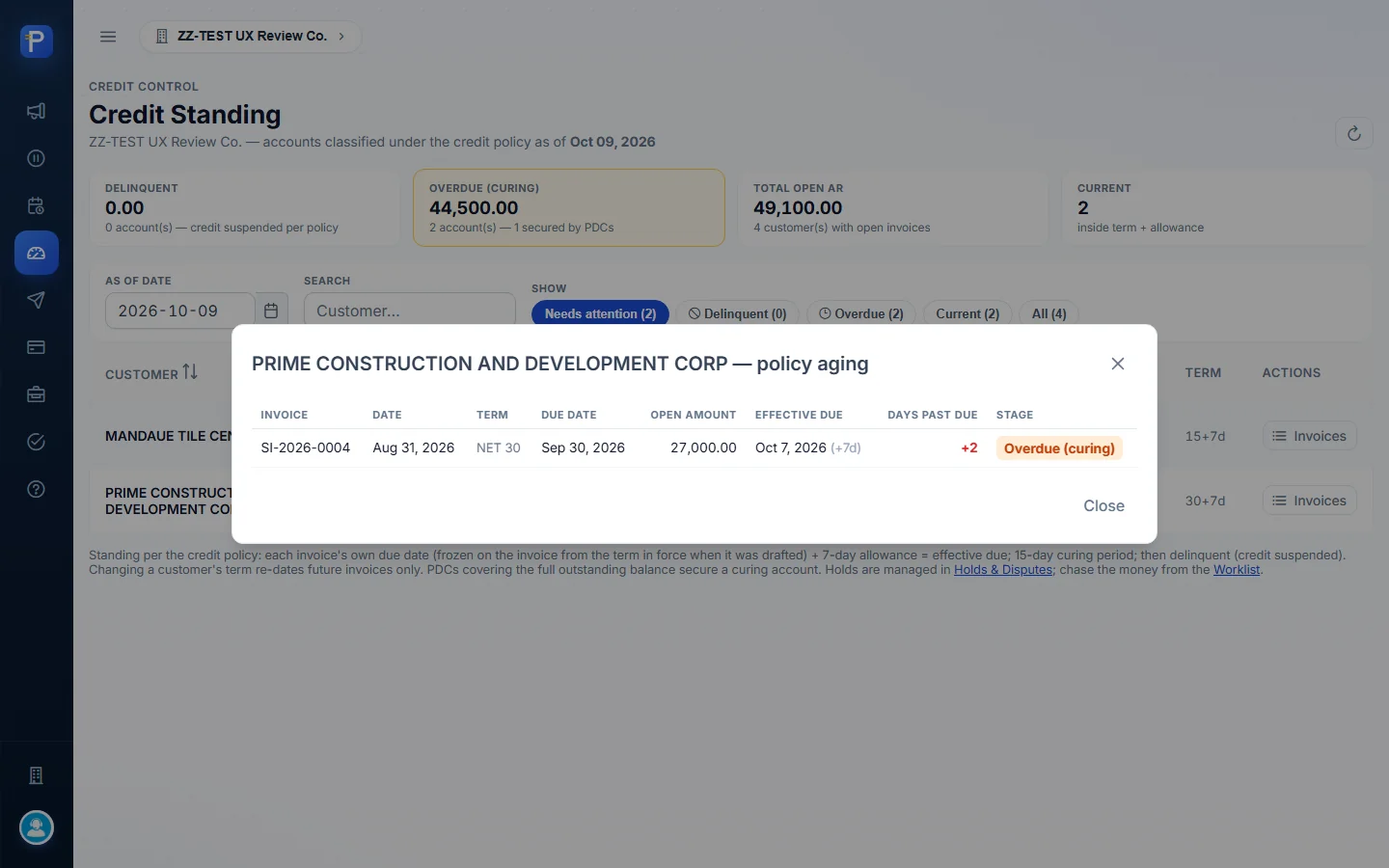
The Invoices button opens the policy aging for a customer. For PRIME, SI-2026-0004 was due Sep 30, has an effective due date of Oct 7, 2026 (+7d), is +2 days past due, and sits in the Overdue (curing) stage.
Agent Follow-up
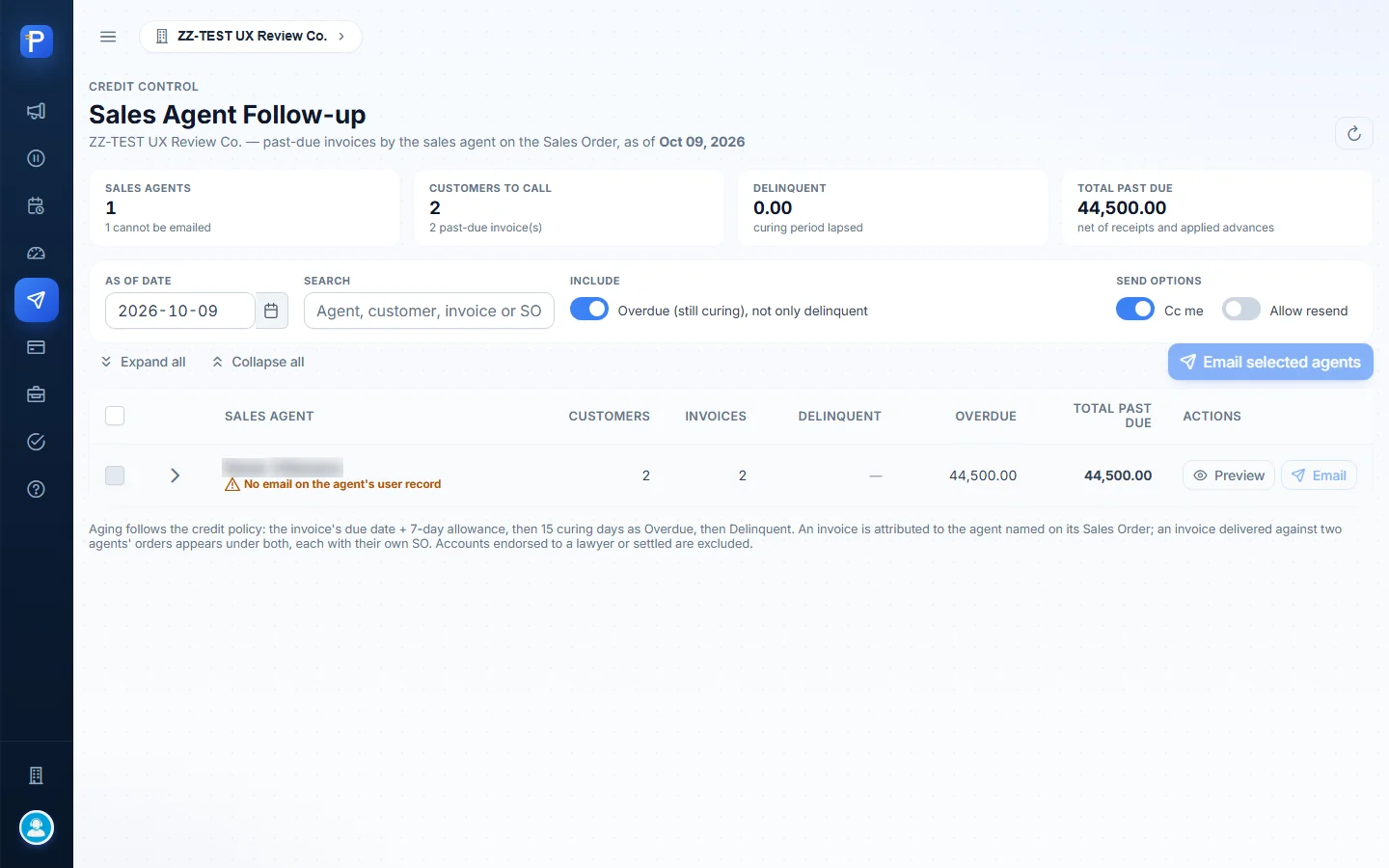
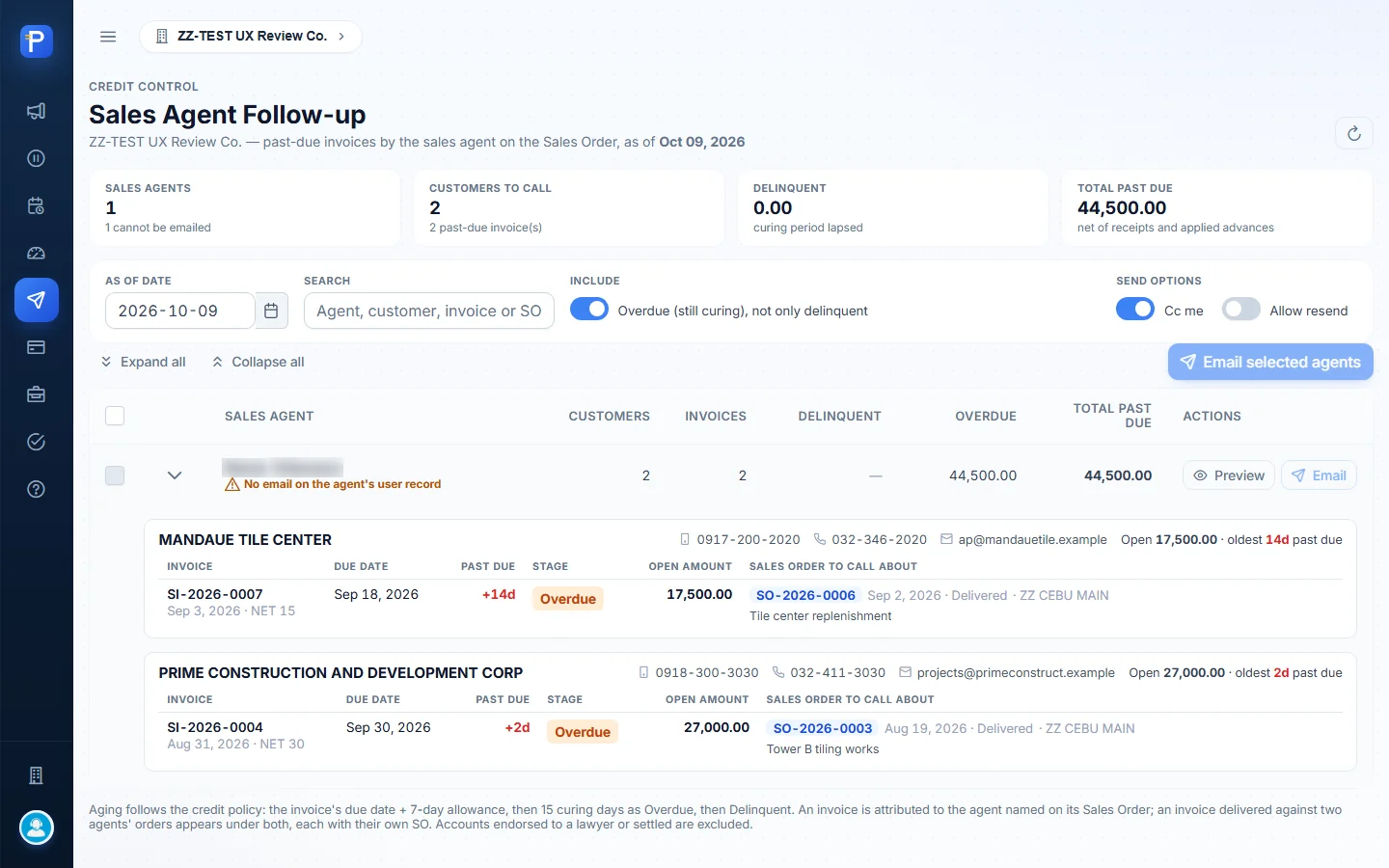
This page groups past-due invoices by the sales agent on the Sales Order, so each agent can call their own customers.
The only agent had 2 customers and 2 invoices, ₱44,500.00 past due. Expanding the agent row shows each customer’s phone numbers and email, and each invoice with its Sales Order:
- SI-2026-0007 against SO-2026-0006, “Tile center replenishment”
- SI-2026-0004 against SO-2026-0003, “Tower B tiling works”
There’s a Cc me switch and an Allow resend switch. Accounts endorsed to a lawyer and settled accounts are left out.
Where accounts end up
With Lawyer
The read-only list of accounts handed to legal counsel. The only action left on those accounts is Mark Settled. It was empty: “No accounts are with the lawyer right now.”

Settled / Paid
The read-only history of accounts closed after paying in full. Also empty: “No settled accounts yet.”

Help
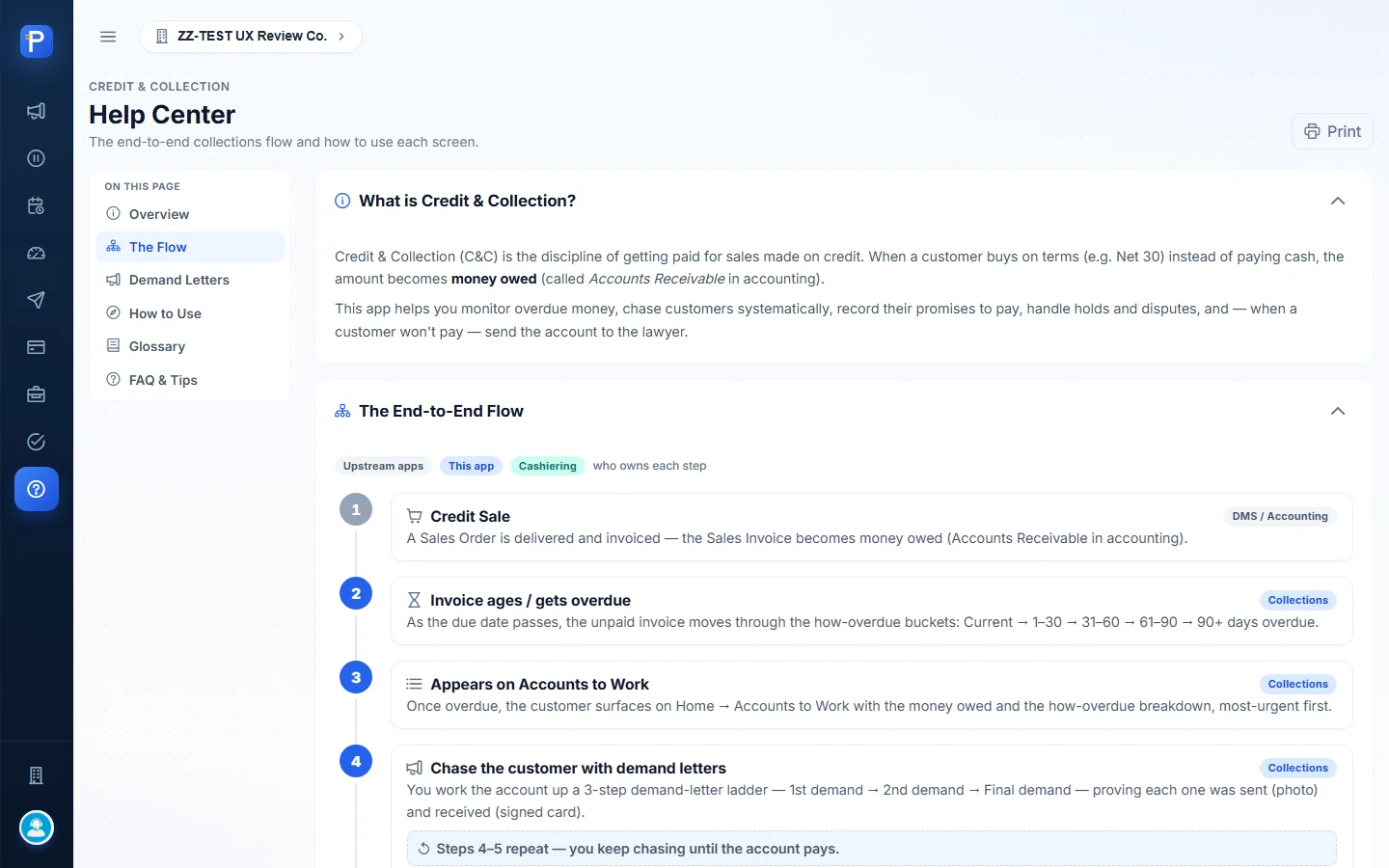
Help covers the end-to-end flow and who owns each step. It gives the demand-letter ladder with typical triggers: 1st letter at about 30 days, 2nd at about 44, Final at about 50, and Send to lawyer once the Final letter is received and the grace period runs out. Send to lawyer needs the LEGAL.ENDORSE permission. There’s also a guide to each screen, a glossary and an FAQ.
How the documents connect
- Sales Order → delivery → Sales Invoice happen in DMS and Accounting. The invoice becomes money owed, and CRECO reads it live.
- Credit Terms set in CRECO fix each new invoice’s due date. The credit limit feeds the Sales Order credit gate in DMS.
- Once an invoice is overdue it ages through the buckets. The customer shows up on Accounts to Work, and Credit Standing classes them as Overdue (curing), then Delinquent.
- The collector logs activities and promises to pay. A hold or a dispute moves the customer to Holds & Disputes until it’s released or resolved.
- Demand letters go 1st → 2nd → Final, each Generated → Sent ✓ (photo) → Received (signed card). The worklist status follows the letter stage.
- Payment is recorded as a Collection Receipt in Cashiering, along with any PDCs in its PDC Register. It lowers the balance, matches promises (KEPT/PARTIAL) and can mark a curing account Secured.
- The account finishes in Settled / Paid (Mark Settled) or With Lawyer (Send to lawyer, after the Final letter is received and the grace period runs out).
Notes from testing
- The promise date didn’t stick. I typed 2026-10-20 into the “Promised by” field, but it stayed at the default (today), so the promise was recorded for Oct 9 and due by Oct 16. I think this was how I entered the date in the automated browser, not a fault in the app. The amount field took its value fine.
- Mark Kept (manual) leaves the promise OPEN. It only adds a timeline note, and the Promises register doesn’t change (still OPEN, ₱0.00 matched). The dialog says that’s intended: only a real receipt in Cashiering changes the status.
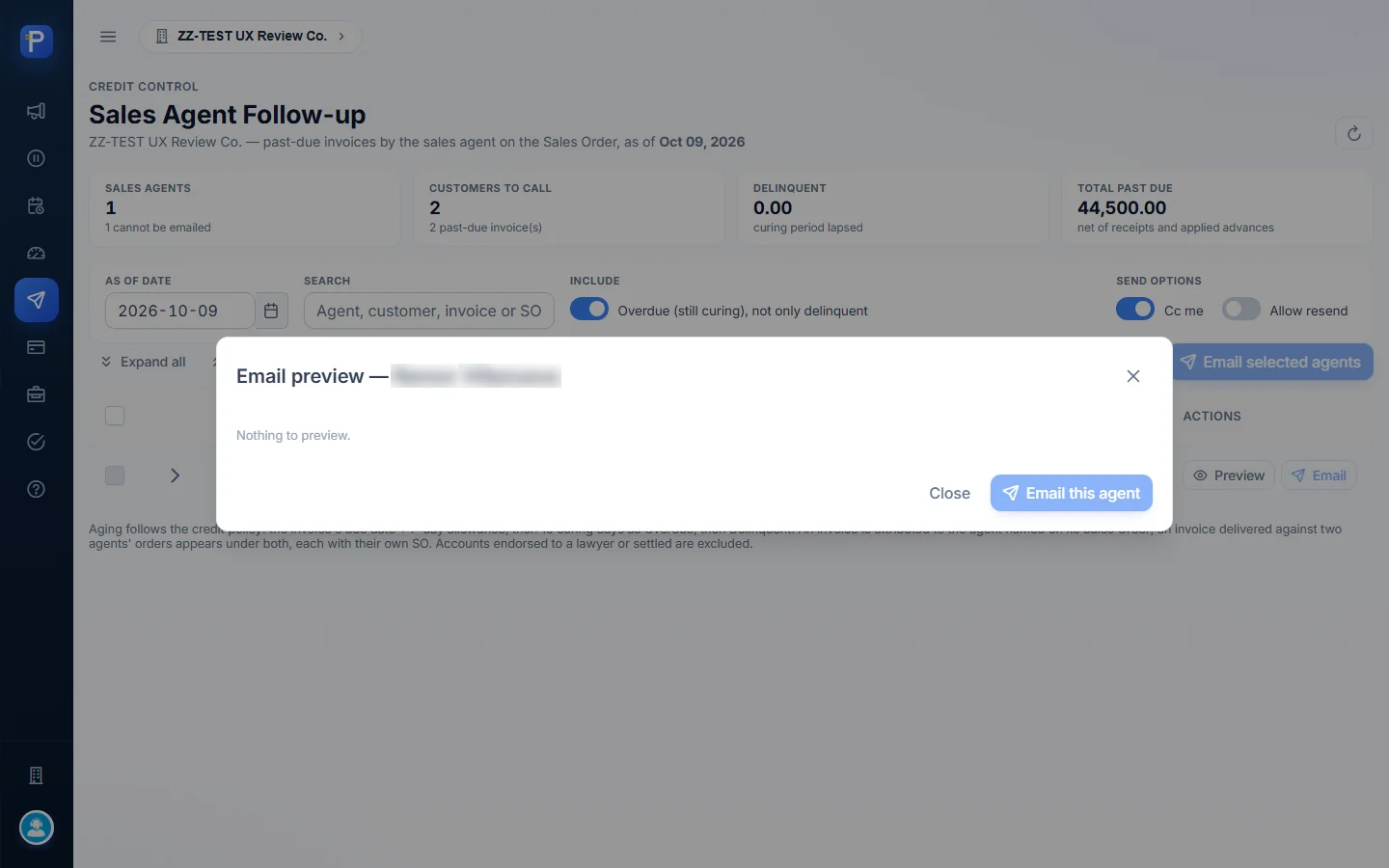
- I couldn’t email the agent. The Email and “Email selected agents” buttons were disabled because “No email on the agent’s user record”, and the preview said “Nothing to preview.” No email went out.
- The letter template isn’t finished. It still has placeholders (“[PLACEHOLDER — FOR LEGAL REVIEW]”, penalty rate, signatory).
- Holds and disputes are per customer. They apply to the customer account, not to one invoice.
- Some things I left alone on purpose:
- I didn’t confirm Mark Settled, because the balances are real test AR.
- I didn’t send Report a wrong number.
- I didn’t save any credit term or limit.
- I didn’t mark the 1st letter Received. So With Lawyer and Settled stayed empty, and Send to lawyer couldn’t be reached in one session because of the letter ladder and the grace period.
- Everything I created is activity on two existing ZZ-TEST customers. CRECO has no customer master screen; customers come from Accounting.