Playlalo App Store
Playlalo is the company app store for the Paylalo suite. It’s a public storefront at apps.paylalo.com, no login needed, where staff and field users download the Android apps their company publishes.
Apps and their version history are published and managed from the Paylalo ERP back office. The storefront only reads. On the day I tested it, it listed two apps: Paylalo Go (the driver delivery app) and Scan2Approve (the QR approval app). Other Paylalo apps send people here too. The Paylalo Go v1.0.4 changelog says its update notifications “take you straight to the Paylalo store to download the latest version”.
What’s on it
- Catalogue (/apps): a hero banner, an “N apps available” count and one card per published app.
- Each app card has an icon, name, short description (with See more / See less for long text), version, platform and size chips, and a Get button.
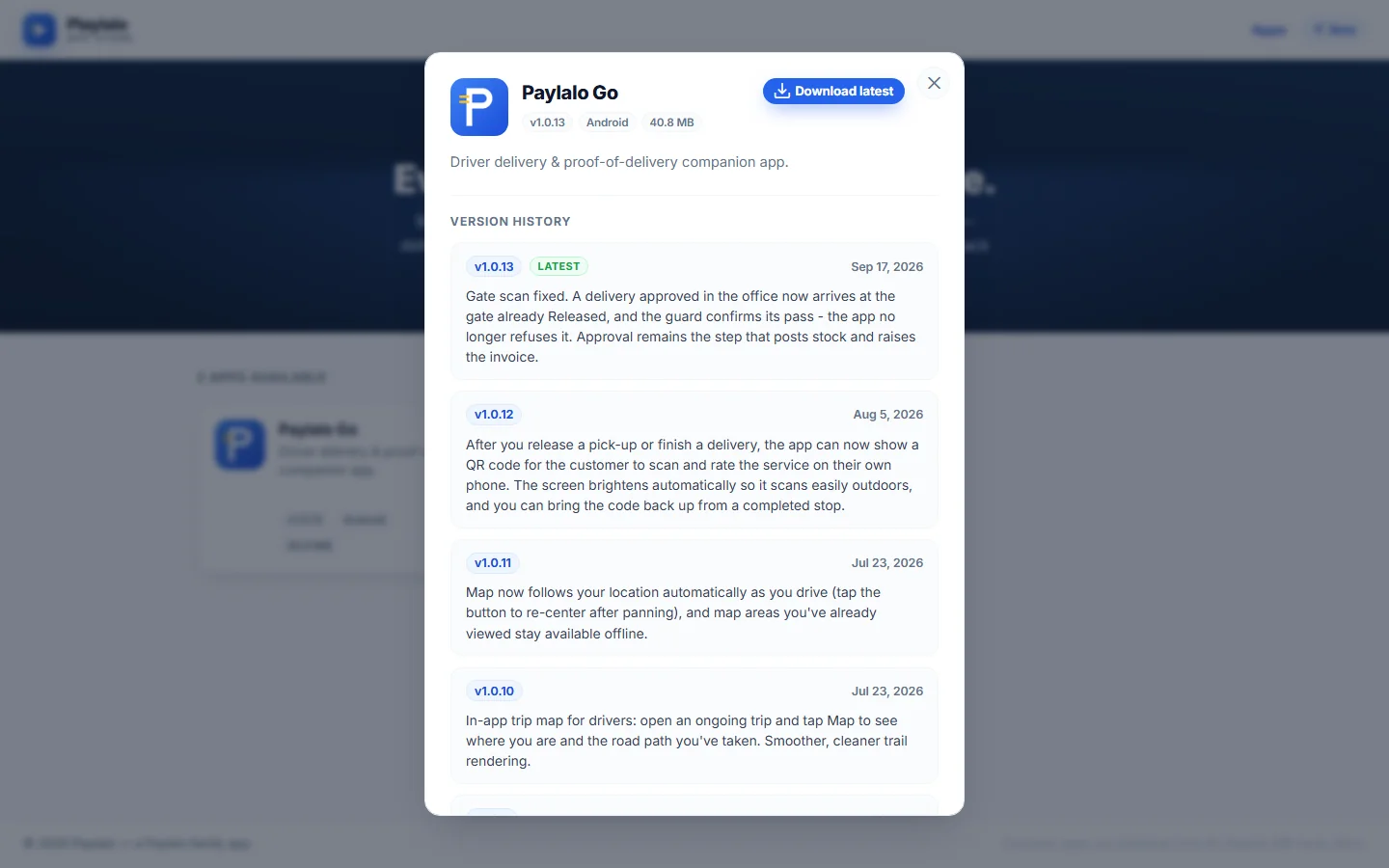
- Clicking a card opens a details dialog with a Download latest button, the full description and the full version history with release notes.
- Deep link (/apps?app=
) opens a given app’s details dialog right away. - The page has four states: loading, temporarily unavailable, nothing published, and the catalogue.
The catalogue
The page
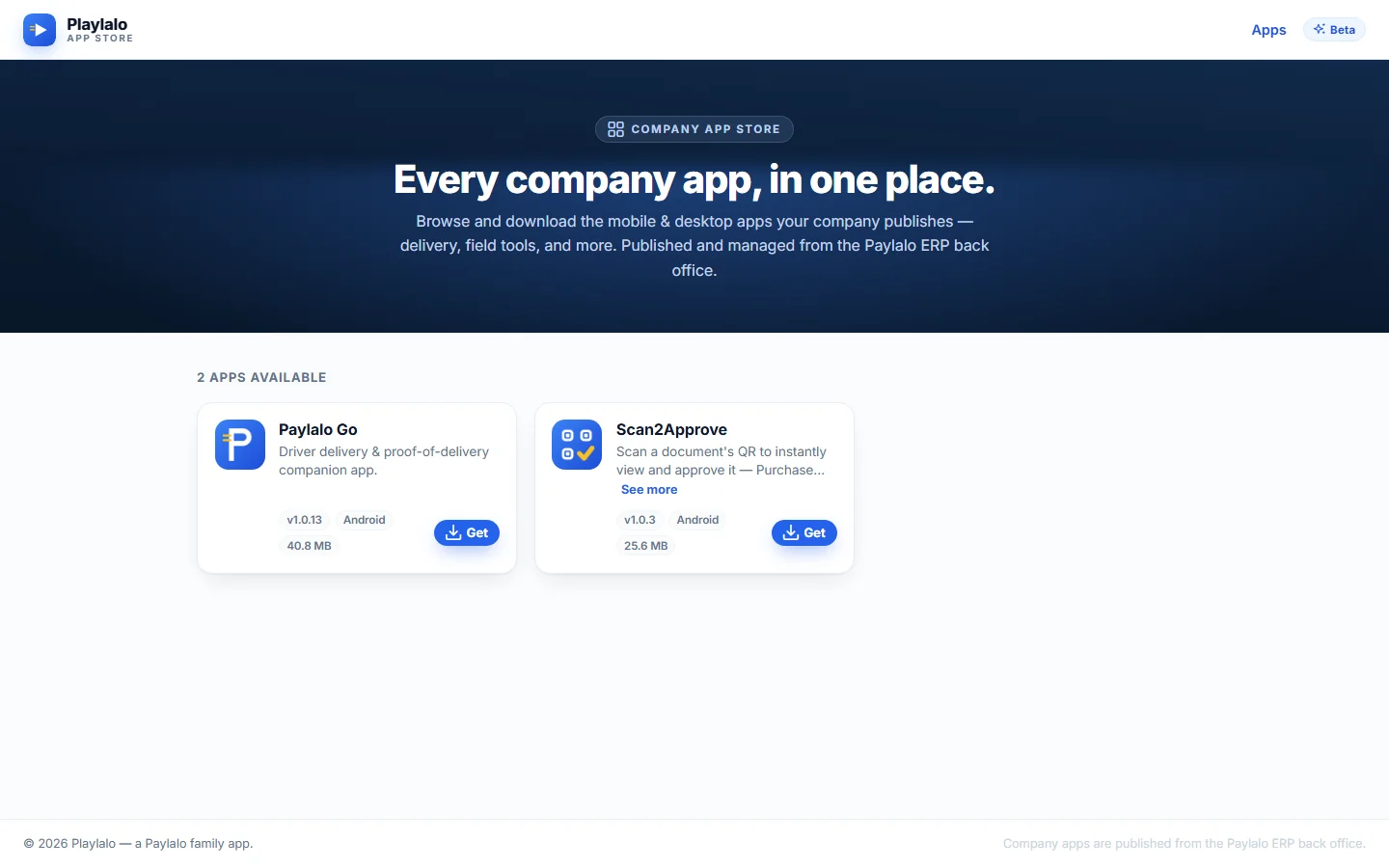
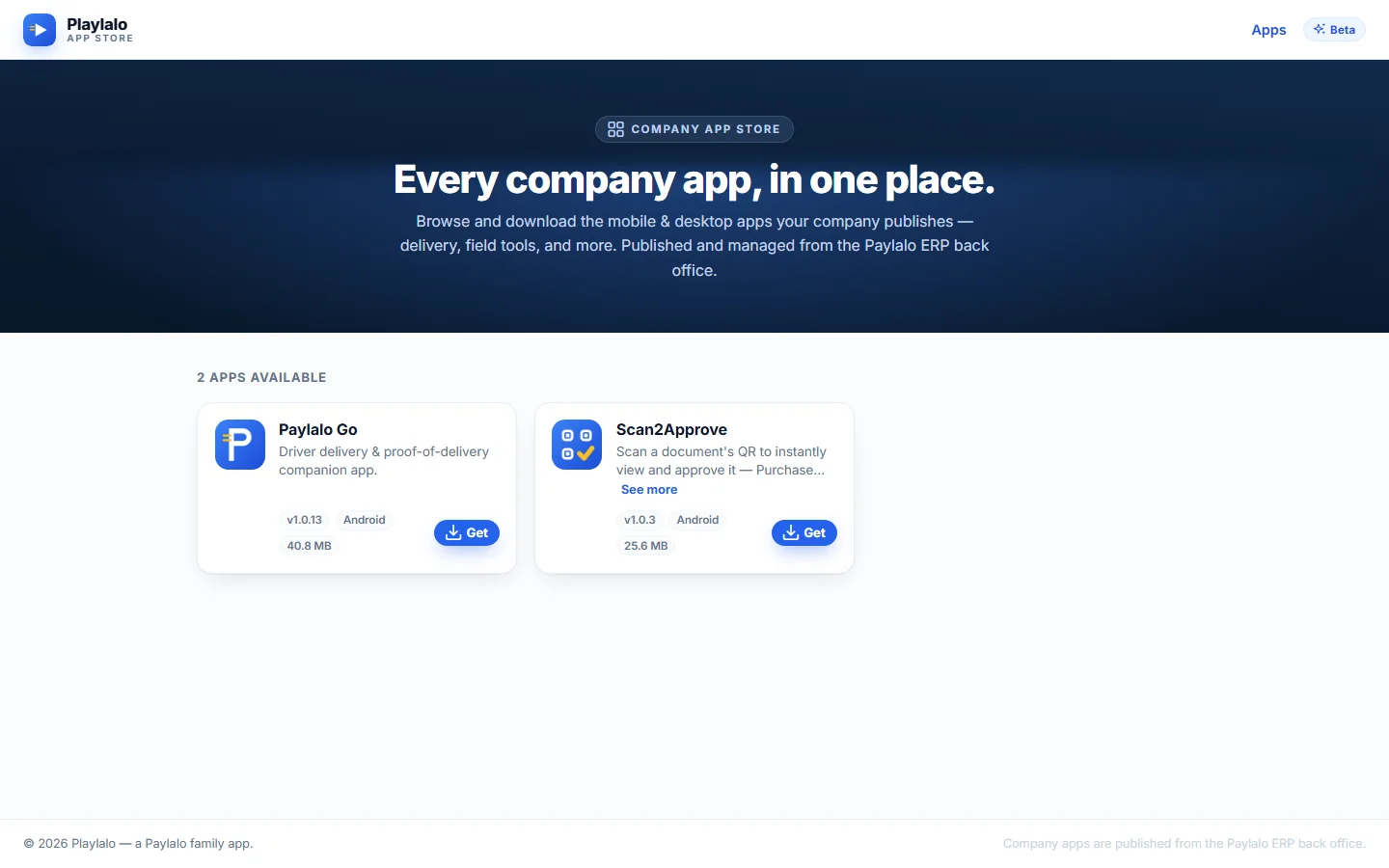
This is the one place to find every app the company publishes. From top to bottom:
- A top bar with the Playlalo App Store logo, an Apps link and a Beta pill.
- A hero banner: “Company App Store”, the headline “Every company app, in one place.” and the line “Browse and download the mobile & desktop apps your company publishes — delivery, field tools, and more. Published and managed from the Paylalo ERP back office.”
- A count heading, here 2 APPS AVAILABLE.
- A grid of app cards.
- A footer: “© 2026 Playlalo — a Paylalo family app. Company apps are published from the Paylalo ERP back office.”
The site root and unknown paths (like /apps/does-not-exist) both send you to /apps, so you never hit a dead end.
App cards
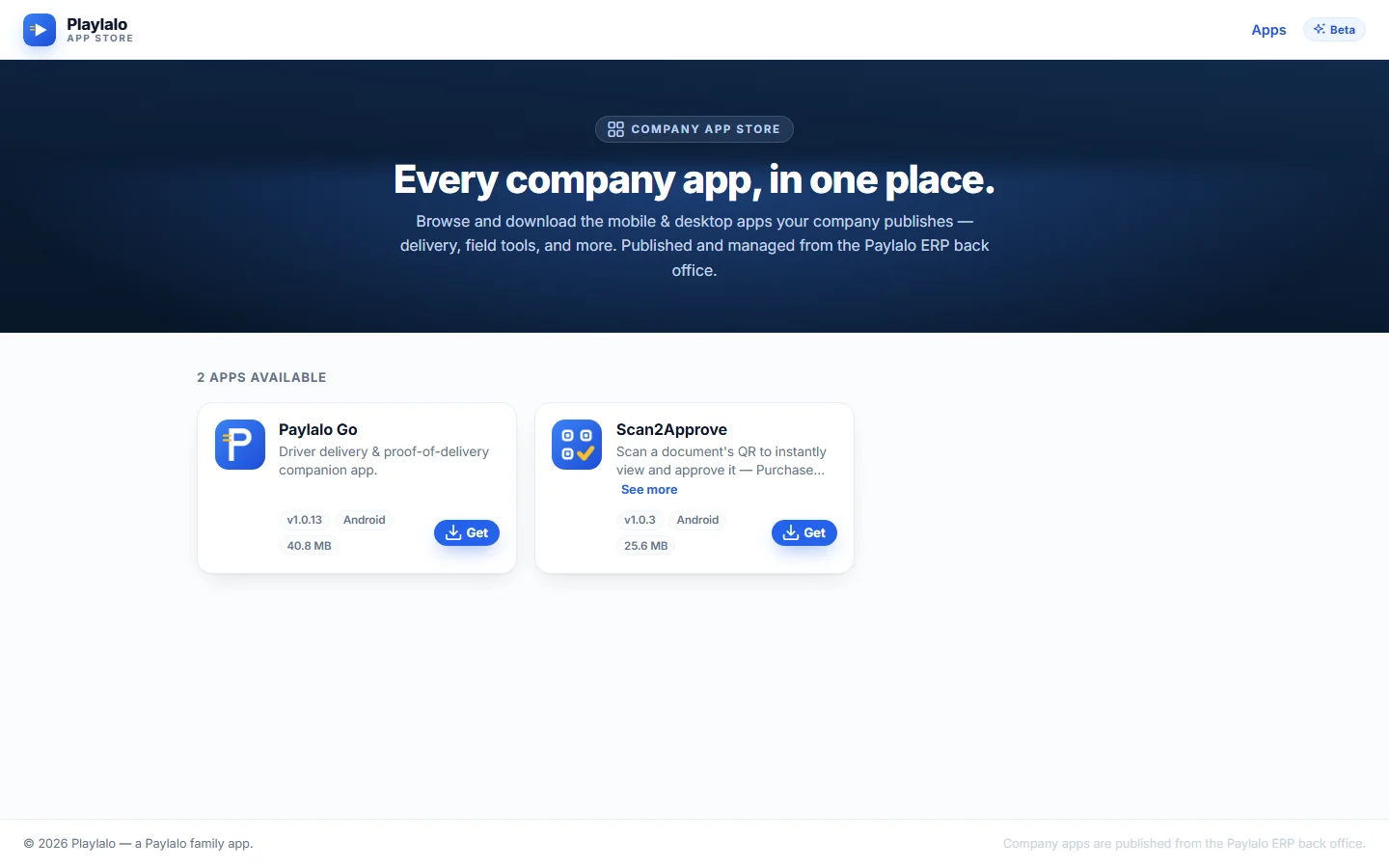
A card shows the app’s icon and name, a one-line description, chips for version (v1.0.13), platform (Android) and file size (40.8 MB), and a blue Get button.
Get is a direct download link to the app’s APK file, for example delivery-app-1.0.13.apk. No account needed. I didn’t download any APKs while testing.
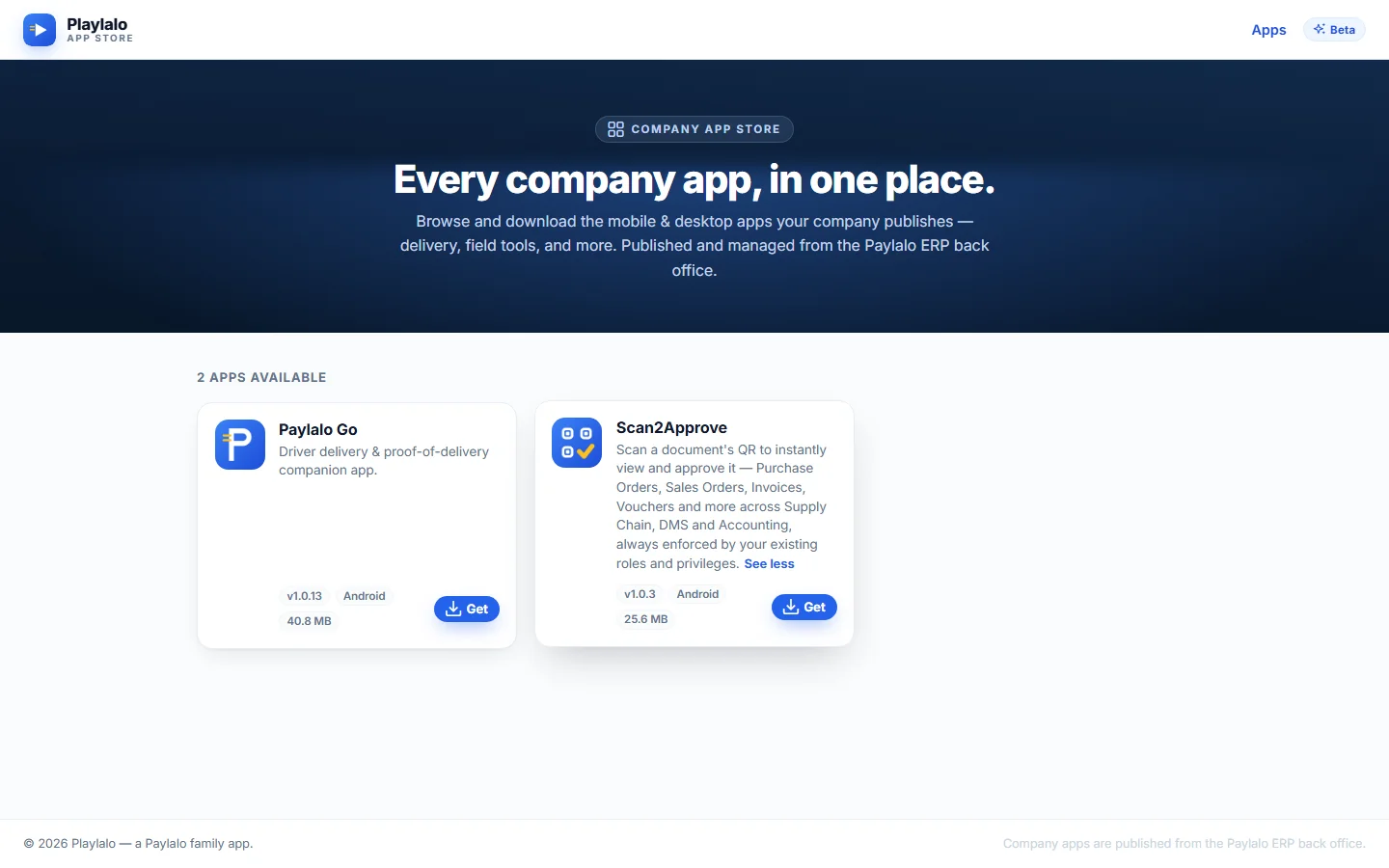
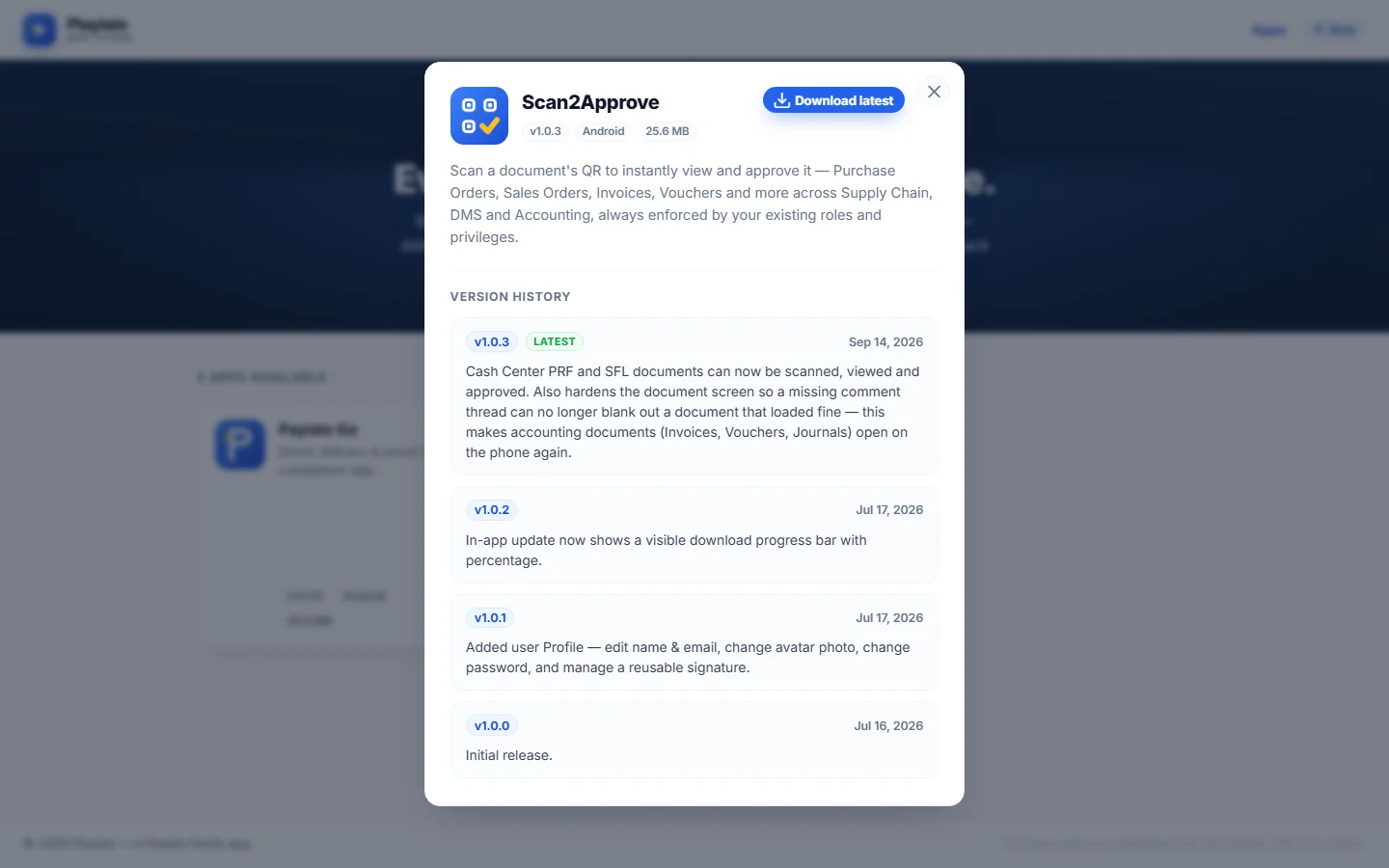
Long descriptions are cut to a preview ending in “…” with a See more link. On the Scan2Approve card, See more opens the full text in place: “Scan a document’s QR to instantly view and approve it — Purchase Orders, Sales Orders, Invoices, Vouchers and more across Supply Chain, DMS and Accounting, always enforced by your existing roles and privileges.” The link then changes to See less.
Clicking anywhere else on the card opens the details dialog. Each card is a button with an accessible name like “View details for Paylalo Go”.
App details and version history
The details dialog
This is where you check what changed in each release before you download.
- Click an app card.
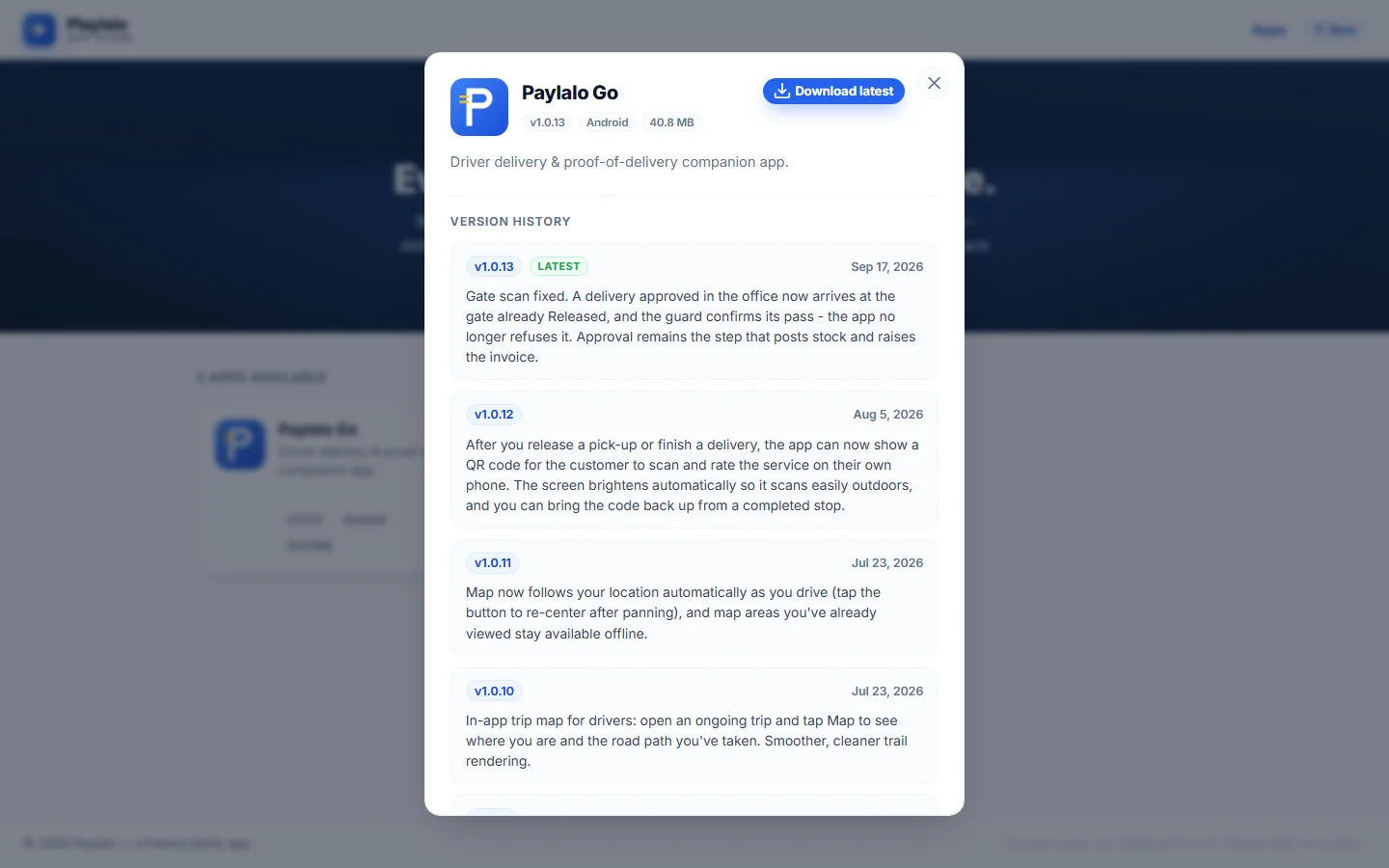
- A dialog opens with the icon, name, the version, platform and size chips, a Download latest button (same APK link as Get) and the full description.
- Under that, Version history lists every release, newest first. Each entry has the version, a LATEST tag on the newest one, the release date and the release notes.
- Close it with the × button or the Escape key. Escape worked when I tried it.
Paylalo Go has 14 releases, from v1.0.0 “Initial release.” (Jul 9, 2026) to v1.0.13 (Sep 17, 2026). The notes are written for drivers, not developers. A few of them:
- v1.0.13: “A delivery approved in the office now arrives at the gate already Released, and the guard confirms its pass… Approval remains the step that posts stock and raises the invoice.”
- v1.0.12 lets the app show a QR code after a release or delivery, so the customer can rate the service on their own phone.
- v1.0.8 made proof of delivery need a photo and the receiver’s name, and trips now record odometer readings at the start and end.
- v1.0.6 added live trip tracking with an offline queue that syncs when the signal comes back.
Scan2Approve has 4 releases (v1.0.0 Jul 16 to v1.0.3 Sep 14, 2026). v1.0.3 added Cash Center PRF and SFL documents and fixed accounting documents (Invoices, Vouchers, Journals) so they open on the phone again. v1.0.1 added a user profile with a reusable signature.
The history inside the dialog has its own loading, error and empty states: “Loading version history…”, “Couldn’t load the version history right now.” and “No version history yet.” I only saw the loaded state live. The other wording comes from the page’s code.
Linking straight to one app
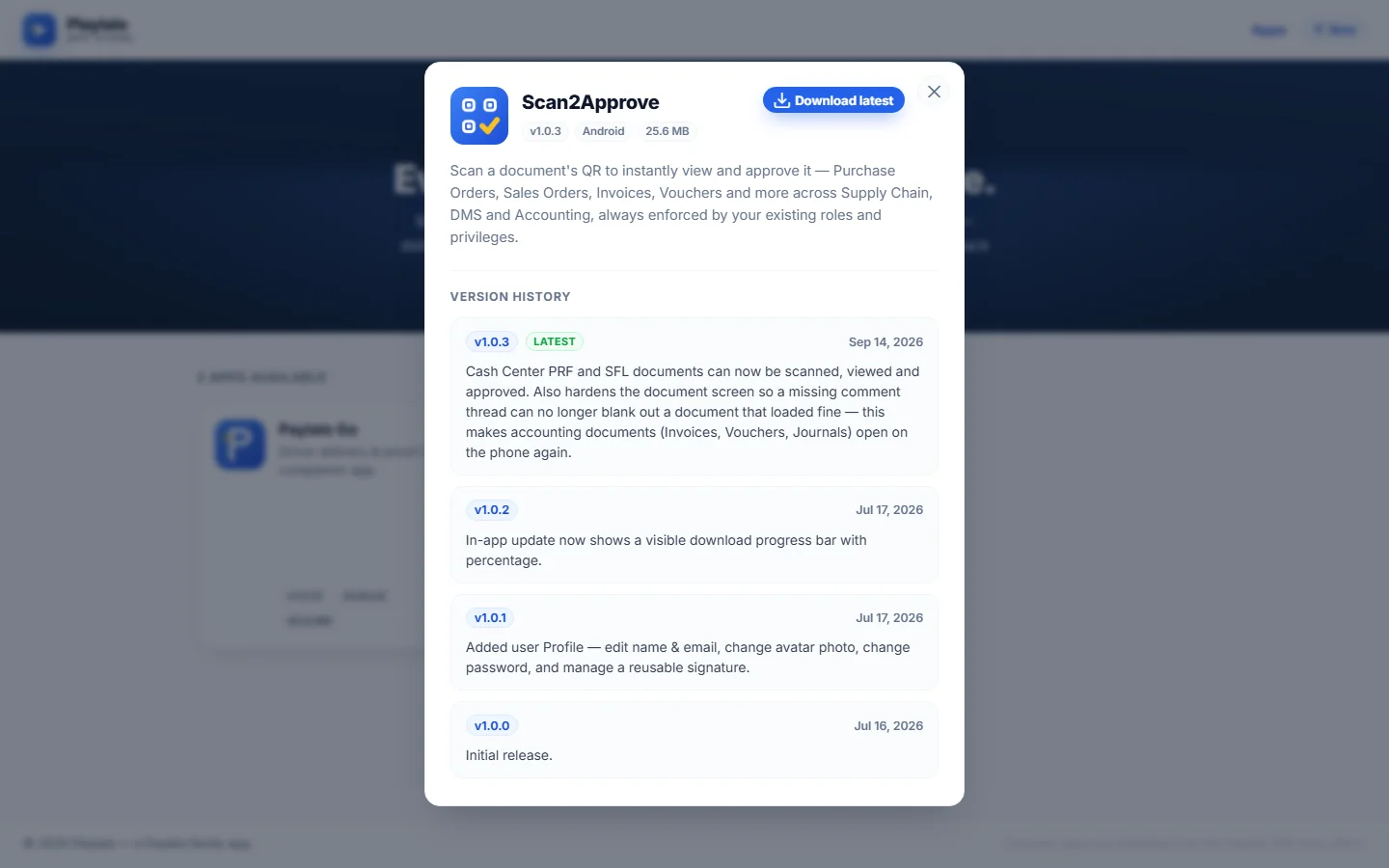
Add ?app=<slug> to the address, for example /apps?app=scan2approve, and that app’s details dialog opens as soon as the catalogue loads. The page code also scrolls to the card and highlights it for a moment. It’s the kind of link an in-app update prompt can use to send someone straight to the right app.
The four page states
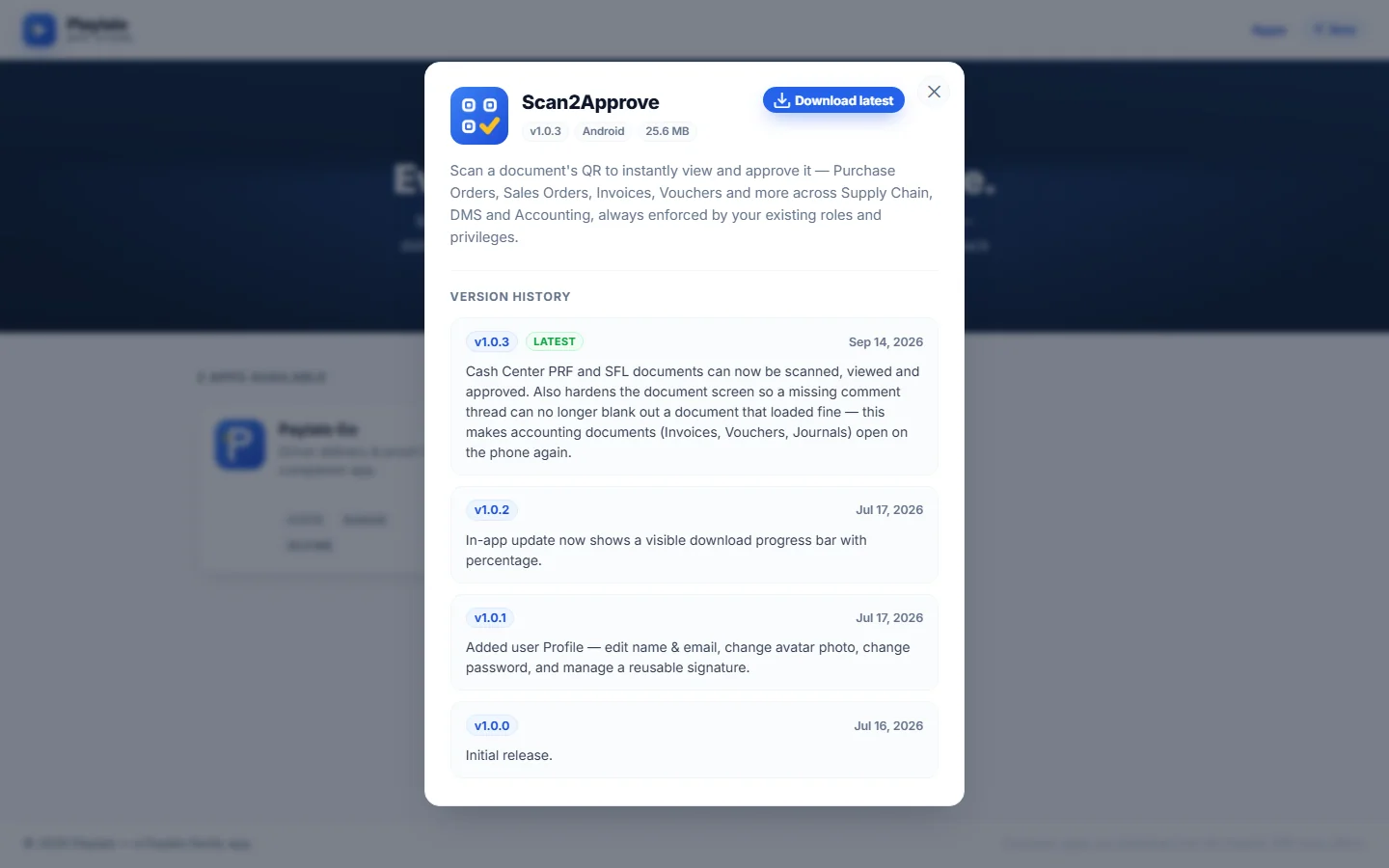
The catalogue has four states. Only the catalogue itself was live while I tested. I read the wording of the other three from the page’s code; I didn’t see them on screen.
- Loading: a spinner with “Loading apps…”.
- Temporarily unavailable, when the catalogue can’t be fetched: a maintenance card with a wrench icon, “The App page is temporarily unavailable”, “We couldn’t reach the app catalog just now. Please try again in a moment.” and a Try again button that reloads the catalogue.
- Nothing published: an inbox icon, “No apps published yet”, “The storefront is live, but no apps have been published from the Paylalo ERP back office yet. Once the first app is published, it’ll appear here automatically.” and a “Check back soon.” pill.
- Catalogue: the “N apps available” grid shown above.
Only apps marked as published show up, sorted by the back office’s sort order and then by title. A card without an APK file shows a “Soon” tag instead of the Get button. Sizes are in MB, or KB under 1 MB.
How it connects
- A release is built and published, with notes, in the Paylalo ERP back office.
- The storefront picks it up on its own. The card’s version, size and Get link move to the new APK, and the release joins the version history as LATEST.
- Field users install from Get or Download latest. Paylalo Go’s in-app update prompt sends them here.
- The apps then work against the rest of the suite: Paylalo Go against delivery and gate release, Scan2Approve against approvals in Supply Chain, DMS, Accounting and Cash Center.
Notes from testing
- Everything a visitor can do worked: the catalogue, both detail dialogs, See more and See less, Escape to close, the deep link, and the redirect from unknown routes.
- I didn’t download an APK, as planned.
- I couldn’t produce the loading, unavailable and nothing-published states on the live site without breaking it. I took a reload screenshot (
shots/08-loading-state.png), but the page had already finished loading, so it just shows the catalogue and I didn’t use it above. Those three states are described from the page code. - There’s no search or filter. With two apps that’s fine, but a longer catalogue will need one.
- The Beta pill in the header is a label, not a link.